About this app
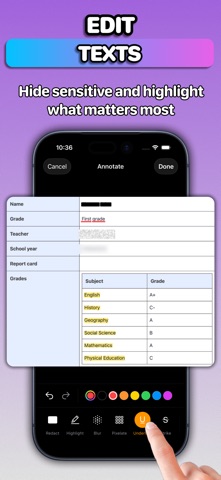
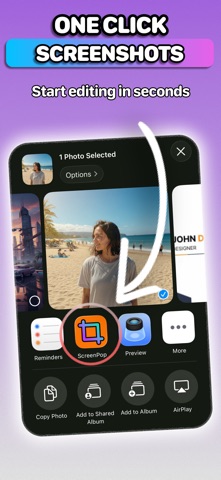
ScreenPop transforms your screenshots into polished, professional images in seconds. Whether you need to hide sensitive information, showcase your app in stunning device mockups, or create eye-catching social media posts, this is the only screenshot tool you need. # Powerful Annotation Tools Ten precision tools to mark up any screenshot: - Redact: Black out confidential text and data - Highlight: Draw attention to important content - Blur and Pixelate: Protect any private info, payment, and personal details - Underline and Strikethrough: Mark text with accuracy - Text: Add labels with rich styling, shadows, and borders - Drawing: Freehand annotations - Stickers: Browse millions of GIFs and stickers from Giphy - Image Overlay: Add logos, watermarks, and custom graphics # Smart Text Detection Tap anywhere on detected text to instantly apply annotations. No manual selection required. The app recognizes text in your screenshots and aligns your markups perfectly. # Device Mockups Showcase your work in realistic device frames: - iPhone 17 Pro, iPhone 16 Pro, iPhone Air - iPad Pro, iPad mini - MacBook Air, MacBook Pro - Apple Studio Display - macOS window frames (light and dark) Every frame features authentic materials, colors, and details. # Beautiful Backgrounds Choose from solid colors, gradient styles, custom images, or browse millions of free photos from Pexels. # Export Options Export and share with single tap. # Privacy First All processing happens entirely on your device. Your screenshots never leave your phone. No uploads. No cloud processing. No tracking. Privacy Policy: https://privacy.ftw-labs.com Terms of Use: https://www.apple.com/legal/internet-services/itunes/dev/stdeula/
Audience growth
Ratings growth
Baseline captured. Growth appears after the crawler observes a changed rating count.
Momentum comes from crawler snapshots for the tracked storefront. “Viral growth signal” means unusually fast recent rating gains; it is an indicator, not download data.
Price tracking
Price intelligence
First snapshot captured. The trend line starts after the next crawler price observation.
- First observed Aug 18, 2026 · 4:27 PM Free
Screenshots