About this app
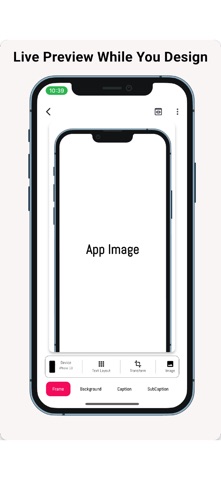
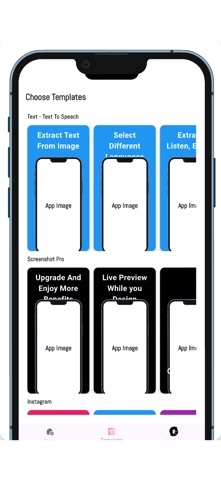
App screenshots are crucial, especially for first-time App Store uploads. They help showcase your app's features and functionality. If you are struggling to get high-quality screenshots for your apps, then try Screenshot Pro. Boost your app’s visibility with Screenshot Pro, the ultimate tool for designing professional, high-quality App Store screenshots. Whether you're a developer, marketer, or designer, Screenshot Pro makes it easy to showcase your app’s features with beautiful, customizable templates. Key Features: Device Mockups: Choose from a wide range of popular device frames, including iPhones and iPads. Customizable Layouts: Add text, backgrounds, and overlays to highlight app features. Multiple Resolutions: Automatically generate screenshots in all required sizes for the App Store. Batch Processing: Save time by generating screenshots for multiple devices at once. Watermark Option: Add or remove watermarks with premium features. Export & Share: Save your screenshots or share them directly from the app. Why Choose Screenshot Pro? Designed for both beginners and professionals. Saves time and eliminates the hassle of creating screenshots manually. Helps your app stand out in competitive marketplaces. Download Screenshot Pro now and give your app the visual edge it deserves! Read the terms and conditions here : https://docs.google.com/document/d/1A4XooOyz7cJsoauo3b1aCzNuT1Dq2q-vOqPVOsVsvQk/edit?usp=sharing
Latest release
What’s New
You can now automatically generate screenshot captions and subcaptions with just one click! Simply upload a screenshot, and let Screenshot Pro handle the rest—making your screenshots more professional and engaging in seconds. Update now and try it out!
Audience growth
Ratings growth
Baseline captured. Growth appears after the crawler observes a changed rating count.
Momentum comes from crawler snapshots for the tracked storefront. “Viral growth signal” means unusually fast recent rating gains; it is an indicator, not download data.
Price tracking
Price intelligence
First snapshot captured. The trend line starts after the next crawler price observation.
- First observed Sep 8, 2026 · 2:02 AM Free
Screenshots