About this app
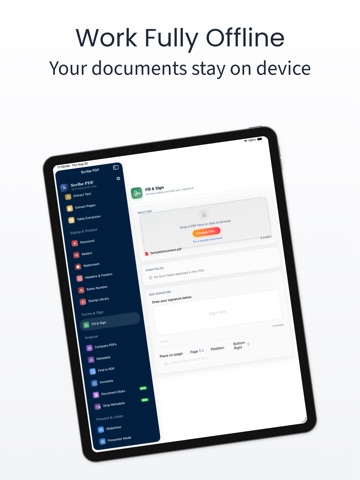
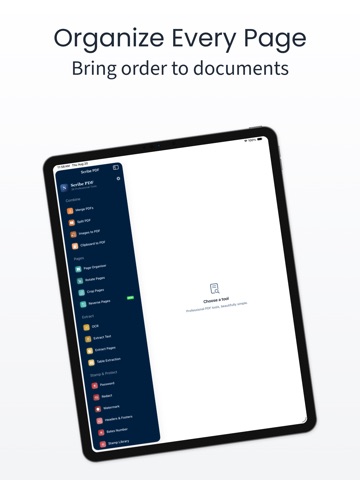
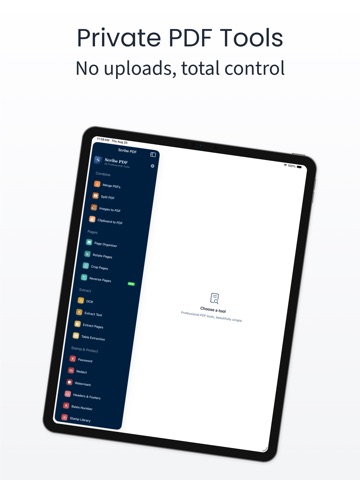
Stop uploading your documents to someone else's server just to sign a form or shrink a file. Scribe PDF does it all right on your iPhone, iPad, or Mac: edit, merge, split, compress, sign, redact, watermark, OCR, and convert PDFs, instantly, privately, and completely offline. Stamp and brand documents, paste straight from your clipboard, present slideshows right inside the app, or have any PDF read aloud to you. 30+ tools (and growing). One clean app. Zero compromises. One purchase, every device. Buy Scribe PDF once and it unlocks automatically on iPhone, iPad, and Mac through Apple's Universal Purchase, no separate app, no separate charge. FREE TO START • Merge & Split PDFs: combine files or break them apart in seconds • Extract Pages or Text: grab exactly what you need, nothing else • Compress PDF file size: shrink files without losing quality • Page Organiser: reorder, delete, duplicate pages with a tap • Find in PDF & edit metadata: search inside documents and clean up the details UNLOCK EVERYTHING WITH PRO Combine • Images to PDF & Clipboard to PDF: turn photos or screenshots into a polished PDF in seconds Pages • Rotate & crop pages: fix orientation and trim the clutter Extract • OCR: make scanned documents fully searchable • Table Extraction: pull tables straight to CSV or Excel, no retyping Stamp & Protect • Password protect or decrypt: lock files down, or open what's yours • Redact: permanently black out sensitive text, for good • Watermark, headers & footers, Bates numbering: brand and organise like a pro • Stamp library: pre-built and custom stamps, ready when you need them Forms & Sign • Fill & Sign: complete forms and add your signature with a finger or Apple Pencil Analyse • Compare PDFs side by side: spot every difference at a glance • Annotate: highlight and comment right on the page Present & Listen • Slideshow & Presenter Mode: laser pointer and live notes, built in • Read Aloud and PDF to Audiobook (M4A/MP3): turn any document into something you can listen to Convert • PDF to Markdown or HTML: take your content anywhere • Merge Layers: flatten layered PDFs into one clean page TRULY UNIVERSAL Scribe PDF isn't an iPhone app with a Mac afterthought. It's one genuinely universal app: the same 30+ tools and the same clean interface, built to feel native on iPhone, iPad, Mac, and Apple Vision Pro. A single-column layout on iPhone, a full split-view sidebar on iPad, a proper multi-window app on Mac, the same toolkit either way. PRIVATE BY DESIGN Your files stay yours, always. Every tool runs entirely on-device: no account, no sign-up, no file ever leaves your iPhone, iPad, or Mac, and nothing is tracked. Not a promise. A default. Speaks your language too. Scribe PDF is available in English, Arabic, French, German, Hindi, Indonesian, Japanese, Malay, Simplified Chinese, Spanish, Turkish, and Urdu. Standard End User License Agreement (EULA) available at : https://www.apple.com/legal/internet-services/itunes/dev/stdeula/
Latest release
What’s New
Minor bug fixes.
Audience growth
Ratings growth
Baseline captured. Growth appears after the crawler observes a changed rating count.
Momentum comes from crawler snapshots for the tracked storefront. “Viral growth signal” means unusually fast recent rating gains; it is an indicator, not download data.
Price tracking
Price intelligence
First snapshot captured. The trend line starts after the next crawler price observation.
- First observed Sep 8, 2026 · 2:22 AM Free
Screenshots