About this app
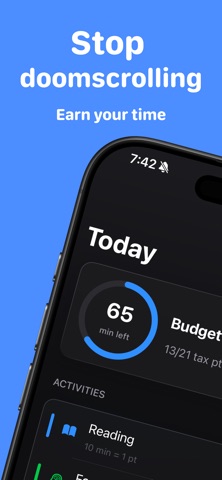
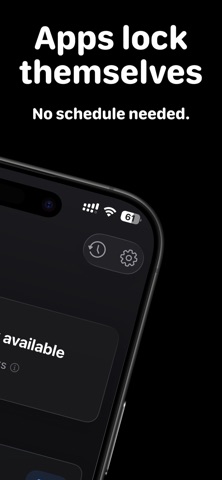
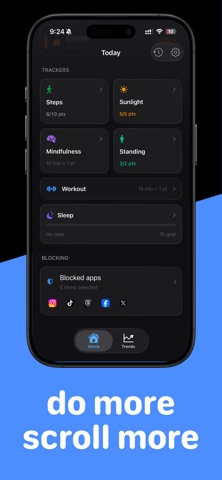
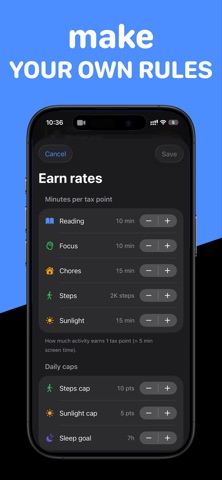
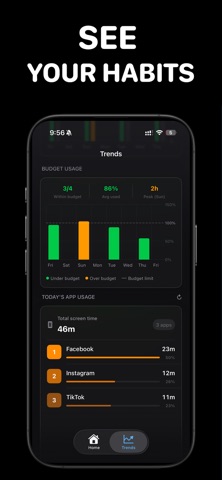
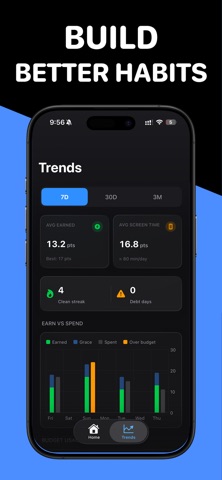
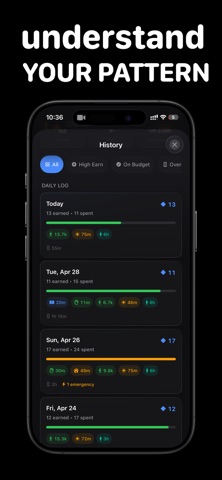
What if doomscrolling had a price? ScrollTax locks your most addictive apps. Earn them back by reading, focusing, doing chores, walking, or going outside. The system enforces it. Every 5 minutes of screen time costs 1 tax point. Hit zero and your apps re-lock automatically. Go over budget and the overage becomes debt — it carries into tomorrow, so you start the next day already in the red until you work it off. Your phone, on a budget. HOW IT WORKS Pick your apps. Select any apps to put on a budget using the iOS Screen Time picker. Social media, games, news, browsers — they're locked by default. Earn tax points. · Reading — 10 min = 1 point. No cap. · Focus (Pomodoro) — 15 min = 1 point. No cap. · Chores — 10 min = 1 point. No cap. · Steps — 2,000 steps = 1 point. Syncs with Apple Health. · Sunlight — 15 min outside = 1 point. Requires Apple Watch. Spend your budget. 1 point = 5 minutes of screen time. Tracked automatically in the background. Hit zero and your apps re-lock on their own. You also get 30 free grace minutes every day. Go into debt. Spend more than you earn? The overage carries to tomorrow. You'll start the next day already in the red — the only way out is earning your way back. THE LOCK IS REAL ScrollTax uses Apple's own Screen Time enforcement. There's no dismiss button, no three-tap override. If you want Instagram, you have to earn it. Yes, that means walking 2,000 steps. YOUR DATA STAYS ON YOUR DEVICE ScrollTax never sees which apps you open or what you view. No account. No cloud. No ads. · Lock any app via iOS Screen Time · All five earn sources: reading, focus, chores, steps, sunlight · 30 grace minutes per day · 1 emergency unlock per day (5 minutes) · Debt carryover — overage rolls to tomorrow · Live Activities — earn timer on your Lock Screen · Hard mode — disable the emergency unlock ScrollTax. Your phone, on a budget. Legal: EULA: https://www.apple.com/legal/internet-services/itunes/dev/stdeula/ Privacy Policy: https://scrolltax.hipporasy.dev/privacy Terms: https://scrolltax.hipporasy.dev/terms
Latest release
What’s New
+ Introduce Widget + Improve performance
Audience growth
Ratings growth
Baseline captured. Growth appears after the crawler observes a changed rating count.
Momentum comes from crawler snapshots for the tracked storefront. “Viral growth signal” means unusually fast recent rating gains; it is an indicator, not download data.
Price tracking
Price intelligence
First snapshot captured. The trend line starts after the next crawler price observation.
- First observed Aug 26, 2026 · 8:27 AM Free
Screenshots