About this app
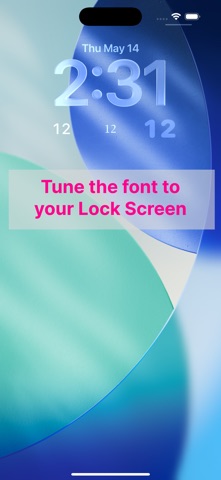
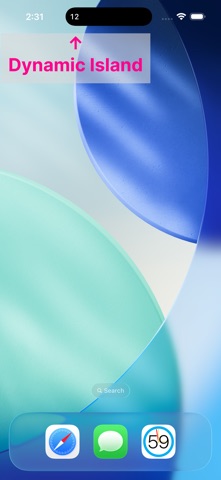
SeClock shows just the seconds on your Lock Screen or Home Screen — the part the system clock leaves out. Long-press the Lock Screen or Home Screen to add the widget. An in-app purchase lets you tune the font, weight, size, and opacity so the seconds blend into your setup. Prefer the Dynamic Island? Tap the button in the app to start a Live Activity that keeps seconds ticking there for up to about 8 hours. You can also use the app itself as a fullscreen HH:MM:SS clock. *Widgets and Live Activities may be off by up to about 1 second.
Latest release
What’s New
- Restored the rectangular Lock Screen widget. - Added the ability to send feedback.
Audience growth
Ratings growth
Baseline captured. Growth appears after the crawler observes a changed rating count.
Momentum comes from crawler snapshots for the tracked storefront. “Viral growth signal” means unusually fast recent rating gains; it is an indicator, not download data.
Price tracking
Price intelligence
First snapshot captured. The trend line starts after the next crawler price observation.
- First observed Sep 19, 2026 · 2:17 AM Free
Screenshots