About this app
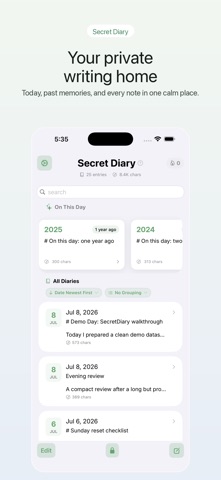
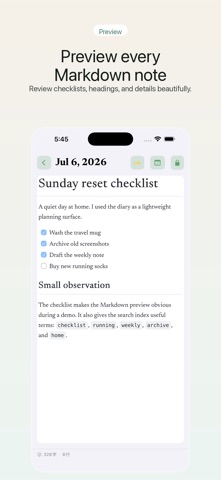
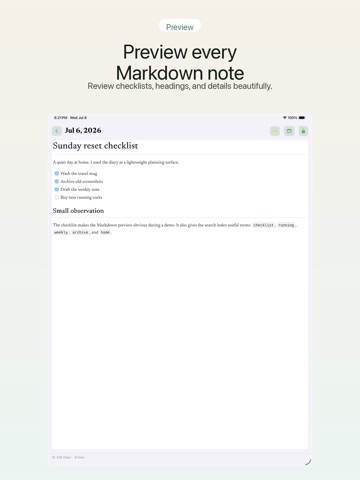
Secret Diary is a private journal for iPhone, iPad, and Mac. Write personal notes, daily reflections, travel memories, study logs, or work journals in a calm SwiftUI interface designed for long-term writing. Your diary stays local on your device. Secret Diary does not upload your diary text or password to external servers. A local password lock helps protect private writing, and the data management tools let you export readable JSON backups when you want to keep your own copy. Free features: 1. Fast daily writing: create and edit diary entries (up to 30 entries; upgrade to Pro to unlock unlimited). 2. Local search: find entries by keyword, date, weekday, Markdown text, and Pinyin initials. 3. On This Day: rediscover entries written on the same date in previous years. 4. Writing reminders: receive local notifications at the time you choose. 5. Reminder styles: choose discreet, gentle, concise, or encouraging reminder copy. 6. Writing statistics: review diary count, word count, recent activity, and streaks. 7. Typography options: customize reading and writing fonts across diary content. 8. Keyboard shortcuts: use faster workflows on iPad and Mac. 9. Data control: export, import, merge, and delete local diary data with clear safeguards. Pro features: 1. Unlimited diaries: lift the 30-entry limit to write and save as many entries as you want. 2. Markdown preview: view rendered headings, lists, links, images, and formatting. Secret Diary is built for people who want a private, offline-first place to write and revisit their own memories. --- Subscription Information: Subscription payments will be charged to your iTunes account upon confirmation of purchase. Subscriptions automatically renew unless auto-renewal is turned off at least 24 hours before the end of the current subscription period. --- Privacy Policy: https://secretdiary.gewill.org/en/privacy Terms Of Use: https://secretdiary.gewill.org/en/terms Contact: 531sunlight@gmail.com
Latest release
What’s New
Fixed an issue that prevented subscription purchases from being available.
Audience growth
Ratings growth
Baseline captured. Growth appears after the crawler observes a changed rating count.
Momentum comes from crawler snapshots for the tracked storefront. “Viral growth signal” means unusually fast recent rating gains; it is an indicator, not download data.
Price tracking
Price intelligence
First snapshot captured. The trend line starts after the next crawler price observation.
- First observed Sep 19, 2026 · 2:17 AM Free
Screenshots