About this app
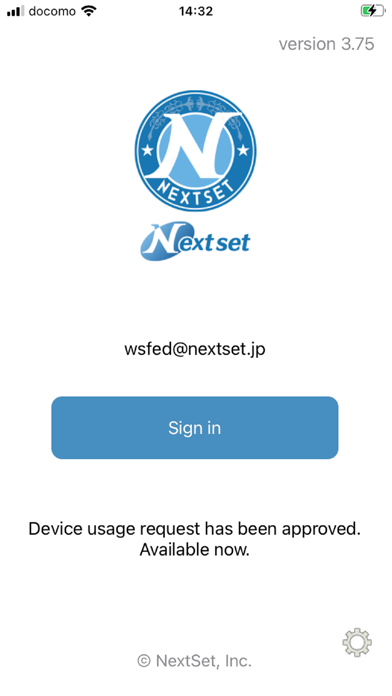
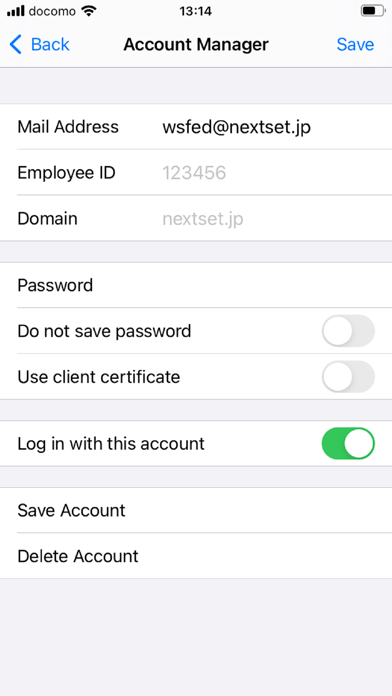
In the "NextSet Security Browser for Microsoft 365" move in conjunction with the "NetSet Single Sign-On for Microsoft 365", it is a secure browser. I will provide a more advanced and detailed security access control to the Microsoft 365. · Single Sign-On with · Microsoft 365 · Security policy enforcement by, personalized / organization another of the control · And use control of the global IP address / terminal ID Unit · URL to use site control by the filter · Data download ban / cache & Cookei Clear · Character of the prohibition of copy and paste · Automatic deletion of clipboard · Automatic login availability · Printing ban · Address URL bar availability of · The entire shared bookmark / personal bookmark availability of · Automatic logout function · The acquisition and by the administrator of the user access log · Mail & Calendar New data notification function Etc. The user can to keep doing the registration and terminal application of account that you want to access in advance Network that is authorized from the next time, if the terminal, ID, without placing a password Just press the login button at the available services of Microsoft 365, such as Outlook and calendar! · How to use this app 1. launch the app Tap the "Account Management" in the top screen 2. account management to the display Tap the "not registered" 3.Account registration display Enter input to the "e-mail address" to the e-mail address or "Employee ID", "domain" Enter a password in the "Password" Check out "log in with this account." Select a single sign-on to connect to Tap the "registration" 4. Tap the e-mail address that you entered earlier in account management 5. account registration display Tap the "registration of the terminal information" 6. note of registration of the terminal terminal display Tap the "registration" 7. Enter your purpose Tap to "register" 8. registration of the terminal display Tap "OK" 9. to Top screen Tap to "sign in"
Latest release
What’s New
Some maintenances
Audience growth
Ratings growth
Baseline captured. Growth appears after the crawler observes a changed rating count.
Momentum comes from crawler snapshots for the tracked storefront. “Viral growth signal” means unusually fast recent rating gains; it is an indicator, not download data.
Price tracking
Price intelligence
First snapshot captured. The trend line starts after the next crawler price observation.
- First observed Aug 21, 2026 · 2:58 PM Free
Screenshots