About this app
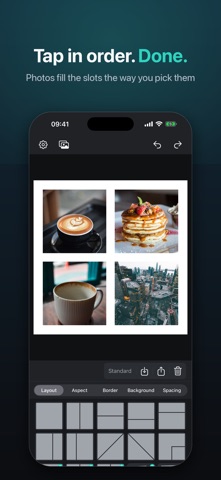
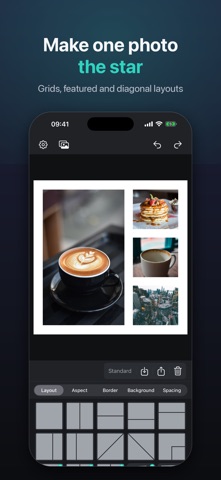
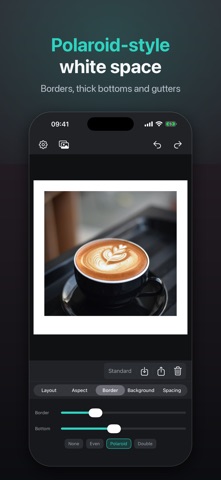
Put a whole day into one frame. Pick up to nine photos. They land in the order you tap. Choose a layout, add the white space on purpose, pick 1:1, 4:5, or 9:16, and export exactly what you see. SeloPhoto is a collage tool for iPhone — not a sticker pack, not a cloud editor. Photos stay on your device. You pick them with the system picker; SeloPhoto never asks to read your whole library. WHAT YOU CAN MAKE • Grids and featured layouts for 1–9 photos • Polaroid-style bottoms, margins, and gutters you can actually see • Solid, gradient, or (with Pro) photo and custom backgrounds • Square posts, 4:5 portraits, and 9:16 Stories — same canvas you export HOW IT WORKS 1. Pick photos. They fill slots in tap order. 2. Pan, pinch, and swap until the crop feels right. 3. Share or save. JPEG, PNG, or a still GIF. PRIVACY Collages render on your iPhone. No account. No ads. No tracking. Saving to Photos is add-only; you can also share without granting library access. SELOPHOTO PRO (ONE-TIME) Unlock every layout, custom backgrounds, and custom export size or file size. Lifetime — not a subscription. Restore with your Apple ID anytime. SeloPhoto is made for the photos you already took today.
Audience growth
Ratings growth
Baseline captured. Growth appears after the crawler observes a changed rating count.
Momentum comes from crawler snapshots for the tracked storefront. “Viral growth signal” means unusually fast recent rating gains; it is an indicator, not download data.
Price tracking
Price intelligence
First snapshot captured. The trend line starts after the next crawler price observation.
- First observed Oct 11, 2026 · 7:43 PM Free
Screenshots