About this app
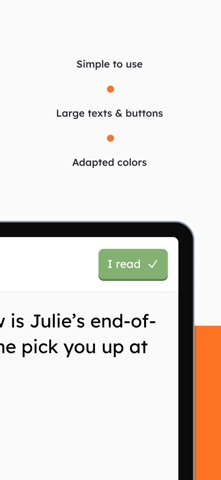
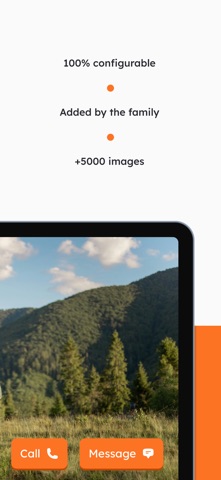
SeniorContact connects elderly parents and grandparents with their families through a simple, intuitive tablet app, designed for seniors who are not comfortable with smartphones. You've probably already heard: "Mobile phones have become too complicated… updates, settings, spam, and the keyboard is really too small…" That's exactly what SeniorContact is built for. The tablet sits like a digital photo frame, displaying their favourite photos throughout the day. When a message arrives, a ringtone sounds and it appears full screen: large text, full-screen images and videos, voice messages that play in one tap. STAY CLOSE THROUGH MESSAGES Easily exchange text, voice, photo and video messages with your elderly parent. Whether it's a simple hello or sharing photos from your last holiday. CREATE REMINDERS FOR IMPORTANT MOMENTS Set reminders for appointments, birthdays or daily tasks directly from your phone. Customise and repeat them as needed to simplify your senior's daily routine. MAKE CALLS AND KEEP IN TOUCH Call your elderly parent via audio or video at any time, to share a moment, a smile, or simply check in. No dialling needed on their end. INVITE YOUR FAMILY TO COMMUNICATE WITH YOUR SENIOR Add up to 8 family members to stay in touch with your elderly parent. Manage each person's permissions: who can send reminders, add photos to the slideshow, and more. CONFIGURE THE APP TO YOUR SENIOR'S NEEDS Adapt SeniorContact to your senior's abilities and preferences. Choose whether they can reply to messages, set night mode hours, ringtone volume and slideshow settings, all managed from your own phone. Download SeniorContact today and stay close to your elderly parents, no matter the distance. --------------------------------------- Terms: https://seniorcontact.app/terms Privacy: https://seniorcontact.app/privacy EULA: https://www.apple.com/legal/internet-services/itunes/dev/stdeula/
Latest release
What’s New
We added an alert for the senior’s creator if the tablet is not properly locked. We also fixed issues with emergency contacts, the emergency button, and joining a senior with a code.
Audience growth
Ratings growth
Baseline captured. Growth appears after the crawler observes a changed rating count.
Momentum comes from crawler snapshots for the tracked storefront. “Viral growth signal” means unusually fast recent rating gains; it is an indicator, not download data.
Price tracking
Price intelligence
First snapshot captured. The trend line starts after the next crawler price observation.
- First observed Sep 1, 2026 · 6:16 AM Free
Screenshots