About this app
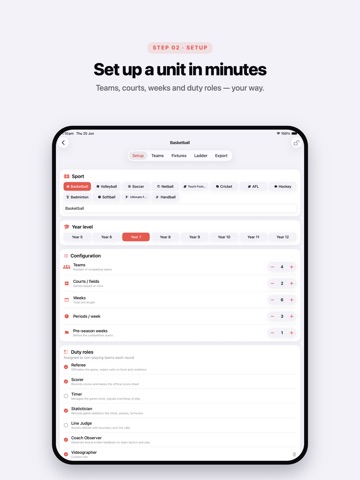
SEPEP Planner is the fastest way to run a Sport Education unit. Built for PE teachers, it takes you from a class list to a complete season — teams, a round-robin fixture, duty rosters, and a live ladder — in a few taps. Everything stays on your device, so student names never leave your phone or iPad. PLAN A UNIT • Pick a sport, year level, weeks, periods and courts • Paste your class list straight from a spreadsheet • Draw balanced teams instantly — re-draw, rename, recolour, or move students by hand RUN THE SEASON • Auto-generate a round-robin fixture with duty teams each round • Assign student leadership roles (Coach, Captain, Equipment Manager, Statistician, Publicity Officer) and track the rotation across the season • Enter scores right on each round; the ladder updates live • Fair-play points, attendance, and per-round notes SHARE IT • Export the whole unit as a polished PDF handout • Back up or move units with JSON export/import No accounts. No subscriptions. No data collected. Free, from the team at ConnectedPE.
Latest release
What’s New
Introducing SEPEP Teacher Tools — a one-time unlock for end-of-season assessment and reporting. • Rate every student across four SEPEP-relevant areas: Skills & Game Play, Teamwork & Communication, Leadership & Role Fulfilment, and Effort & Attitude • Generate a full set of per-student season reports — pulling together ladder result, fair play, leadership roles held, and attendance • Draft each student's report comment on-device with Apple Intelligence, automatically highlighting a strength and an area for improvement based on their ratings — reviewed and edited by you before sharing • Download the full SEPEP Unit Plan & Teacher Pack: curriculum mapping, a teaching sequence, role cards, worksheets and a rubric Plus: • Custom duty roles can now be assigned directly to students, not just teams • Clearer step-by-step guidance through Setup → Teams → Fixtures • Lock a unit once your teams and fixtures are confirmed, to prevent accidental changes
Audience growth
Ratings growth
Baseline captured. Growth appears after the crawler observes a changed rating count.
Momentum comes from crawler snapshots for the tracked storefront. “Viral growth signal” means unusually fast recent rating gains; it is an indicator, not download data.
Price tracking
Price intelligence
First snapshot captured. The trend line starts after the next crawler price observation.
- First observed Aug 24, 2026 · 8:53 AM Free
Screenshots