About this app
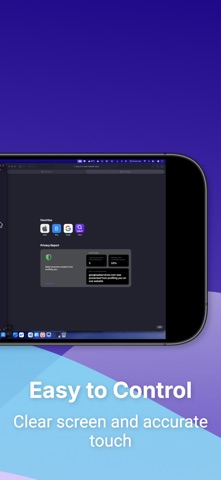
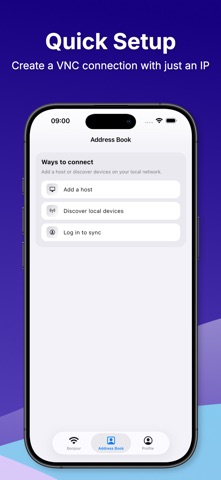
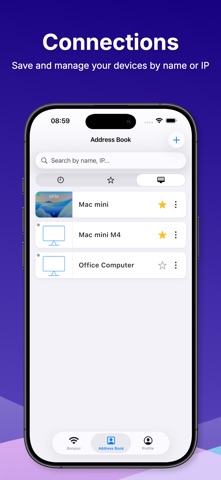
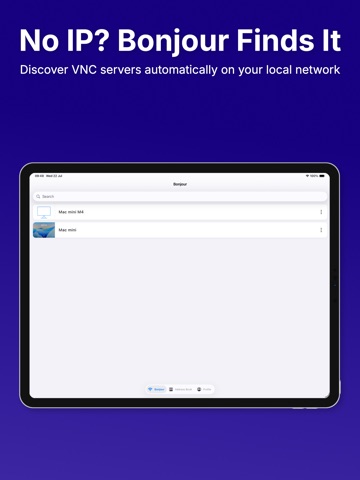
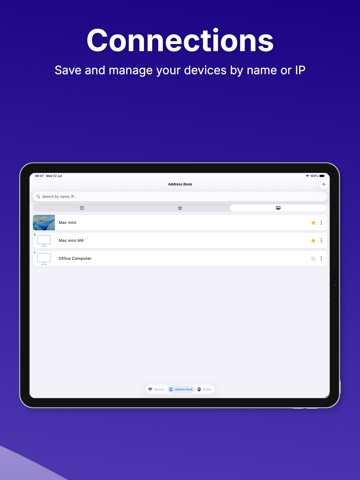
Your desktop, in your hands. Turn your iPhone or iPad into a full remote desktop controller. Whether you're away from the office, on the couch, or across the world — your computer is always just a tap away. CONNECT IN SECONDS • Quick setup: enter a name, host/IP, and port — done • LAN scanner: auto-discover VNC servers on your local network • Ping check: confirm a server is online before you connect • Share & Import: effortlessly share connection details via QR code or link, and import them directly without manual setup • Saved connections with favorites, tags & folders to stay organized • Detailed session history: save and review your past sessions, or jump back into your last connection instantly • Powerful search: find any connection by name or IP CONTROL THAT FEELS NATURAL • Trackpad mode: move the pointer just like a laptop trackpad, with optional inertia • Custom gesture mapping: assign 1/2/3-finger tap, long press, double tap, and pan to left click, right click, middle click, scroll, or drag • Physical mouse support: connect a Bluetooth mouse with adjustable pointer speed and button swap • Tilt control: tilt your device to scroll — no hands needed • Apple Pencil support: precision tapping with optional predictive input • Right-click via long press PERFORMANCE & PRIVACY • Quality presets: Low / Medium / High • Auto-adapt: drops quality automatically on slow or unstable networks • FPS limiter: 15 / 30 / 60 FPS to save battery and reduce heat • Clipboard sync: copy and paste text between your device and remote computer • Session recording & screenshots with privacy mode • Auto-reconnect when your network drops • Saved credentials protected by Keychain • Face ID / Touch ID to unlock credentials instantly • Sign in with Apple: securely sync your connection data across devices so you never lose your setups HOW IT WORKS 1. Install any VNC Server on Windows, macOS, or Linux 2. Set a VNC password in your server settings 3. Open the app — scan your LAN or enter your IP manually 4. Tap Connect. You're in. Built-in Help & Guide walks you through every step.
Latest release
What’s New
Improved VNC controls and enhanced the user experience with a smoother interface.
Audience growth
Ratings growth
Baseline captured. Growth appears after the crawler observes a changed rating count.
Momentum comes from crawler snapshots for the tracked storefront. “Viral growth signal” means unusually fast recent rating gains; it is an indicator, not download data.
Price tracking
Price intelligence
First snapshot captured. The trend line starts after the next crawler price observation.
- First observed Aug 18, 2026 · 4:40 AM Free
Screenshots