About this app
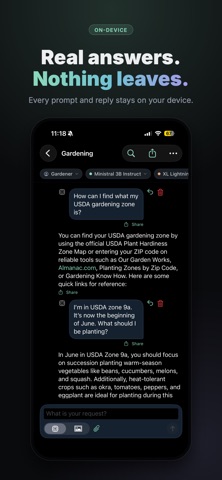
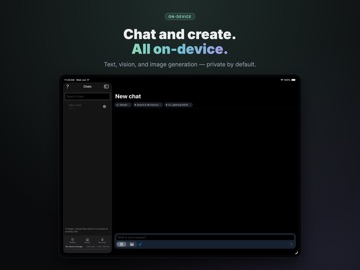
Sessions-AI is a private AI chat app that runs entirely on your iPhone, iPad, or Mac. No cloud servers, no account required—just choose a model, start a conversation, and keep full control of your data. Why Sessions-AI Your conversations never leave your device. Sessions-AI loads and runs language models locally using your device’s processor. Nothing you type is sent to the cloud for AI processing. That means true privacy: no training on your chats, no third-party access, and no subscription that trades your data for service. Chat your way Create as many chats as you like. Each conversation is saved on your device as a simple document you can view in the Files app. Start a new chat for a fresh topic or pick up an existing one anytime. Attach files to give the assistant context, and use built-in tools—calculator, unit conversion, optional web search, calendar, reminders, image generation, and more—without sending your data to external services. Choose your model Sessions-AI supports a range of open language models in different sizes. Pick a small, fast model for quick answers on the go, or a larger one for more complex tasks. Download only what you need from the in-app catalog; models are stored on your device and can be removed to free space. You can also tune how the assistant responds with controls for creativity, length, and behavior. Create images on device Ask the assistant to draw, sketch, or visualize—and it generates images right on your device using Stable Diffusion. Choose from Stable Diffusion 2.1 Base (512×512) or Stable Diffusion XL Base (768×768) on supported devices. Download image models from the in-app catalog; generation runs locally with no cloud APIs. Perfect for quick illustrations, concept art, or creative prompts—all private. Ground answers in your own knowledge Add your own documents to a private knowledge base inside the app. When you ask questions, Sessions-AI can search that content and base its answers on it—all on device. No documents are uploaded; indexing and search happen locally. Great for notes, reference material, or anything you want the assistant to use without sending it to the internet. Built for privacy Chat transcripts, the knowledge base, and all model data stay on your device. Calendar and reminder access are used only on device to answer your questions. Image generation runs entirely on device using Core ML—no images or prompts are sent to the cloud. Web search is optional; when enabled, only the search query is sent to the provider (e.g. DuckDuckGo), not your full conversation. No telemetry, no analytics, no account—just you and your device. Who it’s for Sessions-AI is for anyone who wants capable AI chat without handing over their conversations to the cloud. Whether you care about privacy, work offline, or simply prefer to own your data, Sessions-AI gives you a full-featured assistant that runs where you do: on your own device.
Latest release
What’s New
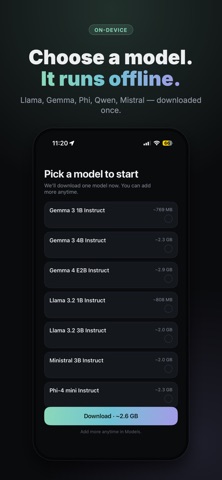
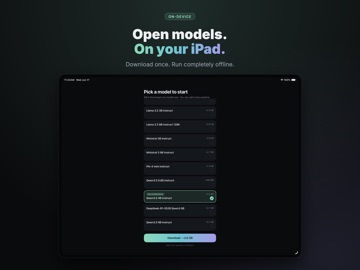
On-Device Image Generation - Fast image models on iPhone: A new in-process Stable Diffusion engine runs GGUF image models directly on iOS — no cloud, no APIs. SDXL Lightning generates in just a few steps for quick results. - A bigger model lineup: Choose from Stable Diffusion, SDXL Lightning, Z-Image Turbo, and FLUX.2 Klein, plus Qwen Image on high-memory Macs. A lightweight Stable Diffusion 1.5 option fits 4 GB-RAM devices. - Watch it draw: See live previews and phase-aware progress as an image is generated, with the generation time and model name shown right in the chat. - More creative control: Guide results with image-to-image, a seed for reproducibility, and negative prompts. - A real Gallery: Browse everything you've created in a cross-platform Gallery, open any image full-screen, and jump back to the chat that made it. - Respects your device: Image generation is offered only when it can fit in memory alongside your language model, and pauses when the app is backgrounded. Redesigned Across iPhone, iPad & Mac - A fresh look: A new design system with full system dark-mode support. - Built for each device: A floating tab bar on iPhone, and a grouped, pinnable sidebar with quick access to Models, Gallery, and Settings on iPad and Mac. - Easy first run: New onboarding welcomes you and helps you pick and download your first model. - Per-chat models and personas: Set the model and persona for each conversation, shown as chips while you compose. Settings are now organized as "Personas." - Better reading: Richer Markdown rendering for headings, lists, quotes, code, and inline formatting. - More control over chats: Edit a chat or delete an individual prompt and its reply. More Models & Faster Replies - New model families: Added Gemma, Qwen3 and Qwen3.5, Llama 3.2 and 3.3, Ministral, and Phi-4-mini, with clear labels for deprecated models. - Reliable tools on small models: Smaller models now call tools far more reliably, so features like calculator, search, calendar, and image generation work even on compact models. - Snappier responses: Models pre-warm when you open a chat, and conversation context is reused between turns for faster replies. Documents & Knowledge - Add documents from a URL: Pull in a web page or document by URL — for a single chat or for your persona's knowledge base — and review the extracted text before adding it. - Rich-text support: Attach and ground answers in Word (.docx), RTF/RTFD, and ODT documents, all parsed on device. Tools & Connections (MCP) - Custom headers for MCP servers: Add custom HTTP headers (such as API keys) when connecting to MCP servers; header values are stored securely in the Keychain. - Built-in tools always available: Connecting an MCP server no longer hides the app's built-in tools. - Better-grounded answers: Web search and page fetching pull in more content and stick to it, reducing made-up details, with more reliable handling of long results.
Audience growth
Ratings growth
Baseline captured. Growth appears after the crawler observes a changed rating count.
Momentum comes from crawler snapshots for the tracked storefront. “Viral growth signal” means unusually fast recent rating gains; it is an indicator, not download data.
Price tracking
Price intelligence
First snapshot captured. The trend line starts after the next crawler price observation.
- First observed Aug 8, 2026 · 9:58 PM $0.99
Screenshots