About this app
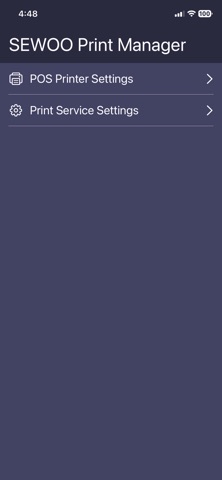
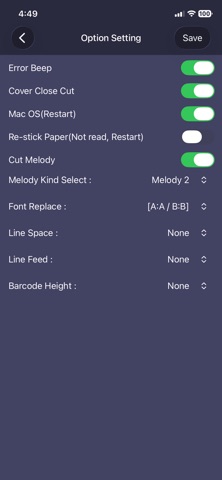
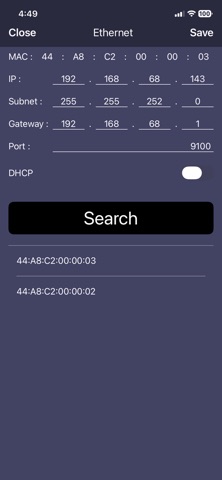
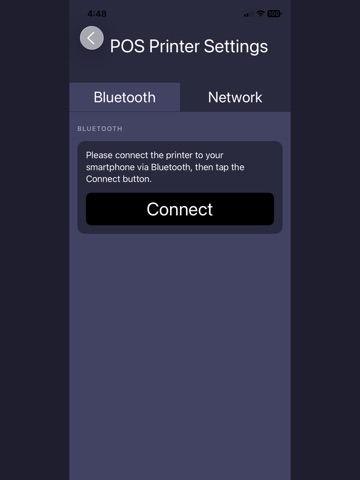
Sewoo Print Manager is a utility app for configuring Sewoo printers and printing content directly from your iPhone or iPad with ease. Key Features • Printer Configuration – Manage and update network and device settings for Sewoo printers connected via Bluetooth, Wi-Fi, or Ethernet. • Network Setup – Quickly configure IP address and port settings for stable printer connectivity. • Share Sheet Printing – Print directly from Photos, Safari, PDFs, and other apps using the iOS share menu. • Custom Print Options – Adjust paper size, print density, and other settings to match your printing needs. • Printer Management – View printer status and apply configuration changes through a simple and intuitive interface. Compatible Printers Designed exclusively for Sewoo printers. Bluetooth connectivity may require an MFi-certified accessory. Seamless Printing Workflow Sewoo Print Manager combines printer setup and direct printing in one streamlined app, helping improve efficiency in retail, hospitality, logistics, and other business environments.
Audience growth
Ratings growth
Baseline captured. Growth appears after the crawler observes a changed rating count.
Momentum comes from crawler snapshots for the tracked storefront. “Viral growth signal” means unusually fast recent rating gains; it is an indicator, not download data.
Price tracking
Price intelligence
First snapshot captured. The trend line starts after the next crawler price observation.
- First observed Aug 11, 2026 · 1:31 AM Free
Screenshots