About this app
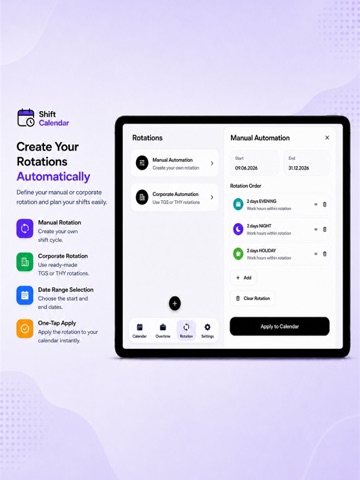
Shift Calendar is a practical shift planner that combines work scheduling, overtime tracking, and shift management in one easy-to-use app. Quickly add your work shifts, overtime hours, days off, leave, and vacation days to your calendar. Create a custom shift rotation based on your own work pattern, or use prebuilt company and team rotations to set up your shift schedule in just a few taps. View your monthly work schedule at a glance, track your working hours, and customize your shift calendar to match your needs. Shift Calendar is designed for anyone working night shifts, rotating shifts, on-call duties, irregular schedules, or changing work hours. Key features: • Shift calendar and work schedule planner • Add shifts, overtime, leave, vacation, and days off manually • Create custom shift rotations • Use prebuilt company and team rotations • Monthly shift and working-hours analysis • Export your schedule as PDF, Excel, or JPG • Share your shift schedule • Home screen widget support • Customize calendar colors and appearance • Light, dark, and system themes • Available in English, Turkish, and Spanish Keep your work schedule organized with Shift Calendar, easily check your upcoming shifts, and carry your shift plan with you wherever you go. Shift Calendar does not replace official employer records, payroll systems, timesheets, or corporate attendance systems. Working-hour calculations and analyses provided by the app are for informational purposes only.
Latest release
What’s New
In this version, we refreshed our App Store page and promotional screenshots. We also made small improvements to make the app experience clearer and easier to use.
Audience growth
Ratings growth
Baseline captured. Growth appears after the crawler observes a changed rating count.
Momentum comes from crawler snapshots for the tracked storefront. “Viral growth signal” means unusually fast recent rating gains; it is an indicator, not download data.
Price tracking
Price intelligence
First snapshot captured. The trend line starts after the next crawler price observation.
- First observed Sep 15, 2026 · 3:00 AM Free
Screenshots