About this app
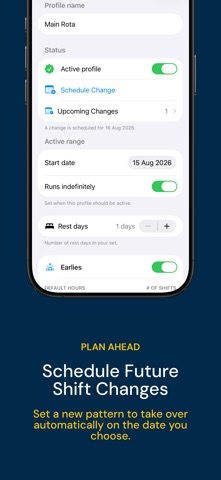
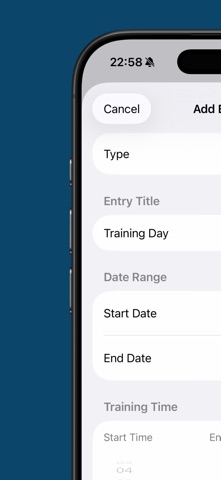
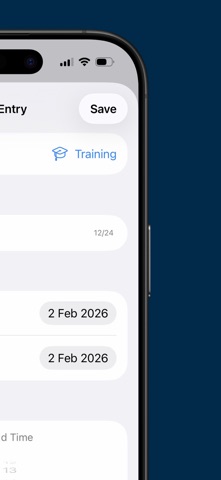
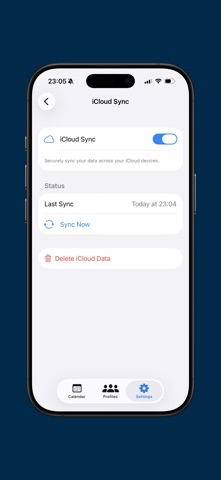
Shift Planner Pro is the simplest way for shift workers to stay on top of their rota. Set up your shift pattern once and your calendar fills automatically—no manual entry needed. Easily add annual leave, overtime and time off. No ads. No account required. YOUR SHIFTS, YOUR WAY • Quick start: Get up and running straight away with built-in Early, Day, Late and Night shifts. • Total customisation: Create your own shift types with custom names, icons and colours to match your exact workplace rota. • Multiple profiles: Save and switch between different shift patterns—ideal for changing rotas, second jobs or shared devices. • Plan ahead: Schedule future profile or shift-pattern changes and have them take effect automatically on the date you choose. MORE THAN JUST SHIFTS • Track everything: Log annual leave, overtime, TOIL, training days, public holidays and rest days directly in your calendar. • Custom entry types: Create reusable entry types with your own names, icons, colours, timing and default behaviour. • Smart filtering: Quickly view upcoming or past entries so you always know where you stand. A CALENDAR THAT WORKS FOR YOU • Seamless navigation: Clean month and week views with smooth, responsive swiping, plus sidebar navigation and layouts designed for iPad. • Calendar integration: Keep your shifts and entries synced with the native iOS Calendar, covering the previous year and next two years. • iCloud sync: Your data is securely backed up and automatically synced across your Apple devices. Take control of your work–life balance with Shift Planner Pro.
Latest release
What’s New
- Improved the experience on iPad. - Schedule future profile changes in advance - Shifts saved to the iOS Calendar now sync further ahead. - Pro users can create custom reusable entry types
Audience growth
Ratings growth
Baseline captured. Growth appears after the crawler observes a changed rating count.
Momentum comes from crawler snapshots for the tracked storefront. “Viral growth signal” means unusually fast recent rating gains; it is an indicator, not download data.
Price tracking
Price intelligence
First snapshot captured. The trend line starts after the next crawler price observation.
- First observed Aug 26, 2026 · 5:43 PM Free
Screenshots