About this app
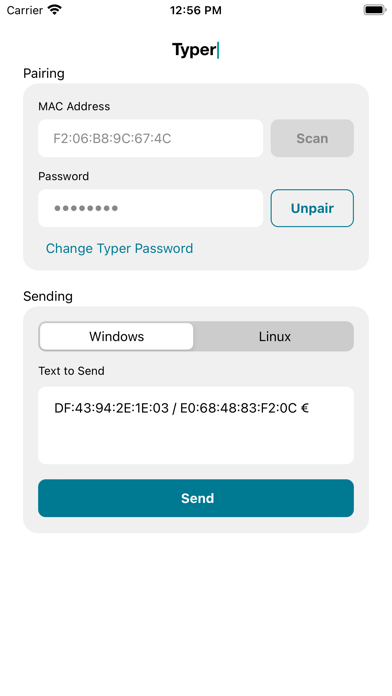
The Typer app provides the ability to transmit data to the the Siemens Typer USB device over Bluetooth Low Energy (BLE) protocol. Typer can be used as a standalone app, or it can be used with Keeper Password Manager to transmit information with one click. When the Typer device is plugged into the USB port of a computer, it behaves as a keyboard device. Pairing can be completed by performing a QR code scan via the camera of the device, or by manual entry of the device MAC address. When Typer is installed on the same device as Keeper Password Manager, a new menu item is displayed in the Keeper record called "Share to Typer". Tap on the "Share to Typer" menu item, then select which field to send. After the user selects the fields they want to send, Keeper will open the Typer app and transmit those fields via its "Text to Send" text editor. The Typer app will then pair to the Siemens BLE Typer peripheral and send the text to the peripheral.
Latest release
What’s New
Bug fixes and Enhancements.
Audience growth
Ratings growth
Baseline captured. Growth appears after the crawler observes a changed rating count.
Momentum comes from crawler snapshots for the tracked storefront. “Viral growth signal” means unusually fast recent rating gains; it is an indicator, not download data.
Price tracking
Price intelligence
First snapshot captured. The trend line starts after the next crawler price observation.
- First observed Aug 20, 2026 · 9:02 AM Free
Screenshots