About this app
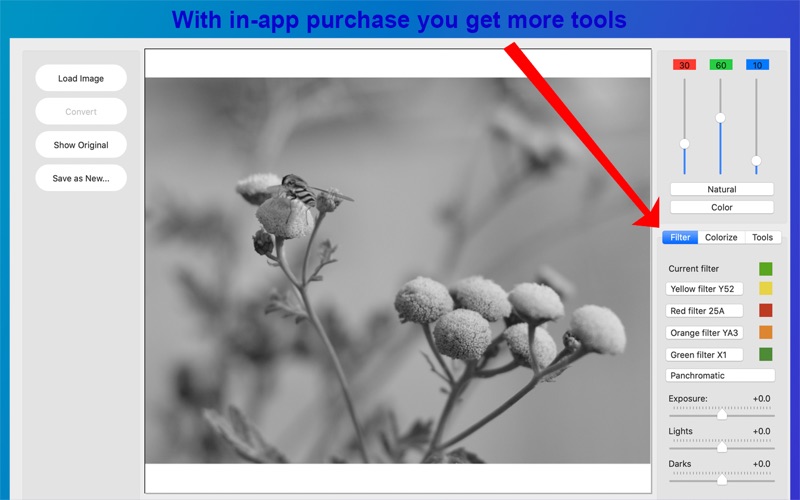
Edit your color and B&W photos. Work with multiple RAW formats from your camera. Fine-tune colors and exposure. And more. With Silver B&W Photo Converter you can transform color photos to black and white exactly the way you like. With color sliders and ready defined filters you can adjust the b&w transformation to make colors appear lighter or darker in the b&w image. For example adjust red flowers to look light or dark and fit nicely to the background. Silver B&W Photo Converter has easy to use tools and you immediately see how your adjustments change the end result. Basic color sliders for b&w transformation are available in the fee app. With in-app purchase you get additional tools: - predefined color filters - exposure settings tools - colorizing (sepia color) tools - resize photo - crop photo - straighten photo - rotate photo - RAW Editor for raw format photos (exposure, contrast, tint, saturation, sharpening, noise reduction and more) Supports jpg, png, gif, tiff and bmp file formats for saving and reads also ProRAW and heic format. Free version reads common raw file formats like dng, nef, raw, etc. Full RAW Editor available with in-app purchase. Supports Continuity Camera so you can use your iPhone or iPad to take a photo or scan a document. This app is free to download. Free version has limited functionality. A free two weeks trial can be activated by in app purchase (without any cost, only ones) to test all full version features. To access all features permanently a Full Version one time in app purchase is offered (see your local currency price below).
Latest release
What’s New
• Minor updates to keep everything up to date
Audience growth
Ratings growth
Baseline captured. Growth appears after the crawler observes a changed rating count.
Momentum comes from crawler snapshots for the tracked storefront. “Viral growth signal” means unusually fast recent rating gains; it is an indicator, not download data.
Price tracking
Price intelligence
First snapshot captured. The trend line starts after the next crawler price observation.
- First observed Oct 8, 2026 · 8:23 AM Free
Screenshots