About this app
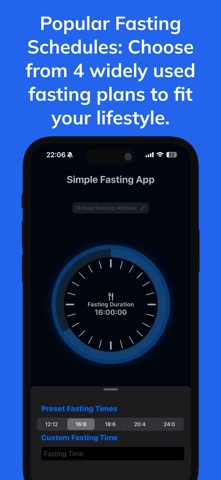
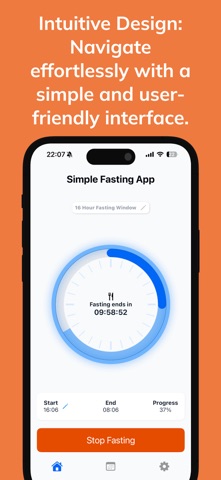
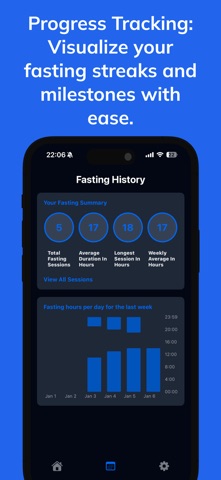
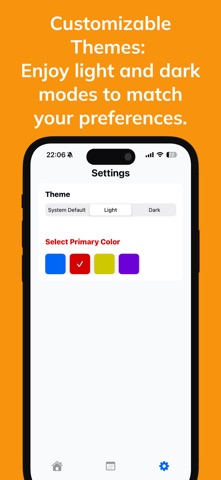
A clearer way to follow your fast—built around your time, not your data. Simple Fasting App gives you a calm, focused place to plan a fast, follow your progress, and understand your routine. No ads, subscriptions, in-app purchases, or account required. CHOOSE YOUR RHYTHM Choose 12:12, 16:8, 18:6, 20:4, or a 24-hour fast—or set a custom duration. Adjust your start time when your day changes, and finish a fast early whenever you need to. FOLLOW EVERY FAST See elapsed and remaining time, start and end times, your current plan, and completion status in one clear live view. An optional reminder can let you know when your planned fasting window ends. EXPLORE FASTING INSIGHTS Choose whether to see time-based fasting stage estimates as your fast progresses. Each stage includes clear context so you can understand what the estimate means—and what it does not. UNDERSTAND YOUR ROUTINE Review completed sessions, total fasts, average duration, your longest fast, weekly averages, and monthly patterns. Open any day to see its timeline and session details. KEEP PROGRESS IN VIEW Follow an active fast beyond the app with Home Screen widgets, Live Activities, and Dynamic Island on supported iPhone models. MAKE IT YOURS Choose light, dark, or system appearance and select an accent color that suits you. PRIVATE BY DESIGN No sign-up. No account. No ads. No subscriptions. No in-app purchases. Your fasting history stays on your device, and Simple Fasting App does not collect or sell your data. Fasting stages are general estimates based on elapsed time. They do not measure your individual metabolic response and are not medical advice. Fast with clarity, at your own pace.
Latest release
What’s New
A calmer, clearer, and more personal Simple Fasting App. • Explore optional, time-based fasting stage estimates with clear context about how they work. • Follow your progress in a refreshed Home experience with stage-aware visuals and clearer timing and plan details. • Understand your routine through expanded History statistics, a monthly calendar, and detailed daily sessions. • Navigate refreshed Home, History, All Fasts, and Settings screens with a more consistent visual system. • Enjoy performance and reliability improvements across fasting state, reminders, widgets, and Live Activities. Fasting stage information is estimated from elapsed time and is not medical advice.
Audience growth
Ratings growth
Baseline captured. Growth appears after the crawler observes a changed rating count.
Momentum comes from crawler snapshots for the tracked storefront. “Viral growth signal” means unusually fast recent rating gains; it is an indicator, not download data.
Price tracking
Price intelligence
First snapshot captured. The trend line starts after the next crawler price observation.
- First observed Sep 2, 2026 · 5:09 AM Free
Screenshots