About this app
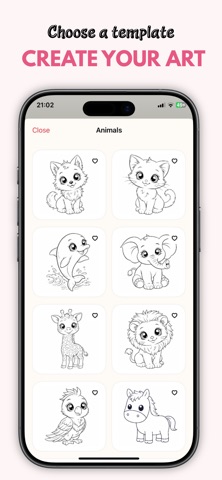
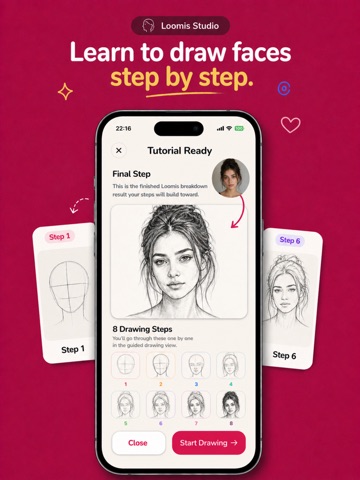
Sketch Steps helps you practice drawing with two powerful tools in one app: AI Loomis Studio and Tracing Studio. AI Loomis Studio turns a portrait into a clean 8-step Loomis-style construction guide, so you can study structure, follow each step, and practice with confidence. Tracing Studio helps you trace and learn from photos, templates, and AI-generated references. You can use ready-to-trace visuals, create custom trace references, and explore different art styles for study and practice. With Sketch Steps, you can: • Generate 8-step AI Loomis portrait breakdowns • Practice facial structure with guided drawing steps • Trace photos and custom references • Explore ready-to-trace templates • Create AI-styled tracing references • Save generated references and tutorials for later study • Build a consistent drawing habit with a clean, focused workflow Sketch Steps is designed for beginners, hobby artists, and anyone who wants a more approachable way to study drawing fundamentals. Some features require an active subscription or coins. Subscription options may include auto-renewing plans, and coin-based features may be offered as in-app purchases. Privacy Policy: https://learned-trollius-e3f.notion.site/Sketch-Steps-Privacy-Policy-35072e55921f80848251fb0847ee0dee Terms of Use: https://www.apple.com/legal/internet-services/itunes/dev/stdeula/
Latest release
What’s New
Bug fixes and performance improvements.
Audience growth
Ratings growth
Baseline captured. Growth appears after the crawler observes a changed rating count.
Momentum comes from crawler snapshots for the tracked storefront. “Viral growth signal” means unusually fast recent rating gains; it is an indicator, not download data.
Price tracking
Price intelligence
First snapshot captured. The trend line starts after the next crawler price observation.
- First observed Aug 19, 2026 · 12:39 AM Free
Screenshots