About this app
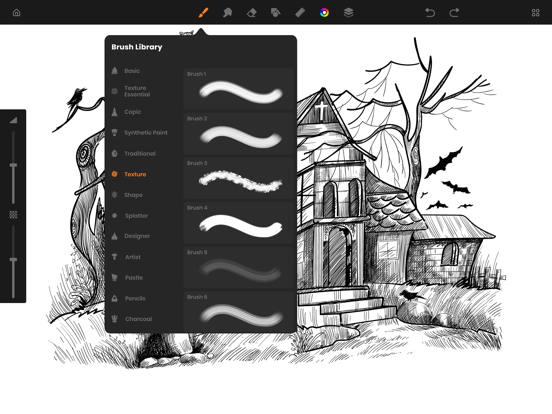
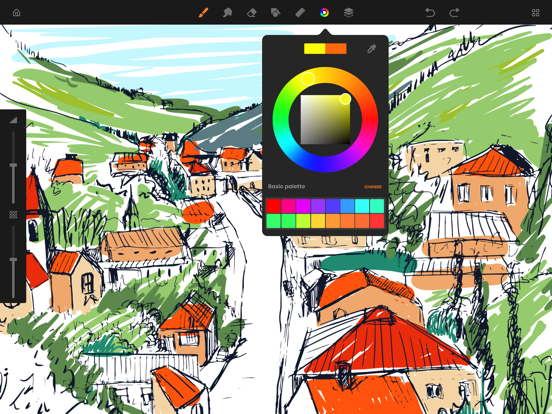
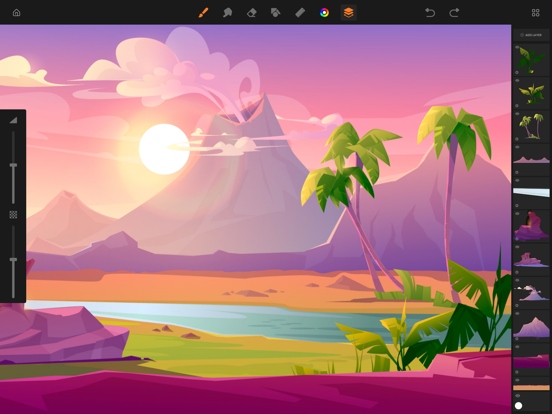
SketchBook is the most practical, versatile and user-friendly sketching app designed for mobile gadgets. This exhaustive artist's toolbox helps users create dazzling sketches, cheerful paintings and smashing illustrations on the go. A reflexive way to produce a custom drawing! Whether you want to create graffiti or you want to create a doodle, or you want to learn to paint and draw, SketchBook is your tool of choice. Sketchbook is an award-winning sketching, artwork, and drawing app for anyone who loves to draw. Artists and illustrators love Sketchbook for its professional-grade characteristic set and highly customizable mechanisms. Everyone loves Sketchbook for its elegant interface and natural drawing experience, free of distractions so you can focus on capturing and articulating your idea. FEATURES - Shape draw assist - Paint. Draw, Sketch. Repeat - Draw smoothly like never before on iPad or iPhone with super realistic brushes. - Draw creative sketches using 60 brushes and tools - Enhance your drawing by importing pictures and photos - Zoom to paint fine details - Share instantly - Import photos for Reference - Ruler - 16 Shape Rulers - Color Palette - Custom Color Wheel - Multiple Layers drawings - Layer settings - Undo - Redo steps - Hard and soft Eraser with opacity settings Beautiful tools make beautiful drawings, we endlessly refined SketchBook brushes to create the most realistic drawing tools. List of BRUSH tools - Basic - Texture Essentials - Copic - Pen Brush - Synthetic Paint - Traditional - Texture - Shape - Splatter - Designer - Artist - Pastel - Eraser - Cutter - Smudge tool Create amazing drawing ideas to life. Use SketchBook state-of-the-art brushes and tools to sketch, type, paint, and draw. Take your drawing creations to wherever your thoughts want to go! Unlimited access to all the premium features and future updates during the subscription period. The subscriptions are $6.99 per month with 3 days trial period and $24.99 yearly or equal to the same price tier as Apple App Store Matrix, determined as the equivalent of subscription price in $USD. You may cancel a subscription or free-trial anytime via the subscription setting through your iTunes account. This must be done 24 hours before the end of the free trial or subscription period to avoid being charged. The subscription will automatically renew unless auto-renew is turned off at least 24 hours before the end of the current period. No cancellation of the current subscription is allowed during the active subscription period. Any unused portion of a free trial period will be forfeited when the user purchases a SketchBook Premium Features subscription. Privacy Policy and Terms of Use : https://www.loyal.app/privacy-policy
Latest release
What’s New
Minor bug fixes and performance improvements
Audience growth
Ratings growth
Momentum comes from crawler snapshots for the tracked storefront. “Viral growth signal” means unusually fast recent rating gains; it is an indicator, not download data.
Price tracking
Price intelligence
- First observed Aug 15, 2026 · 2:29 AM Free
Screenshots