About this app
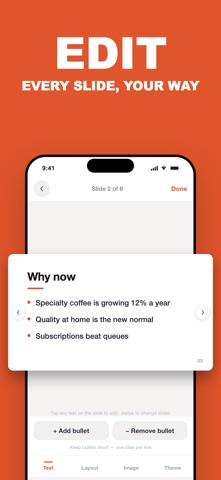
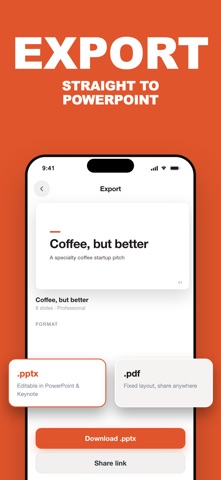
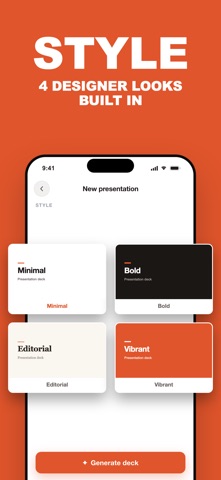
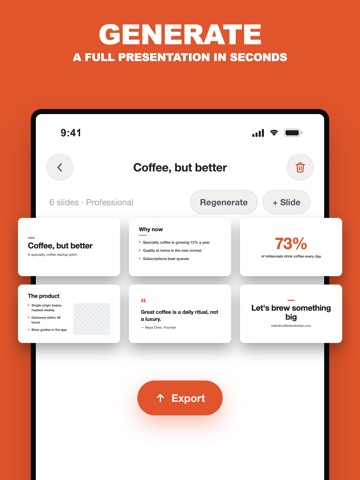
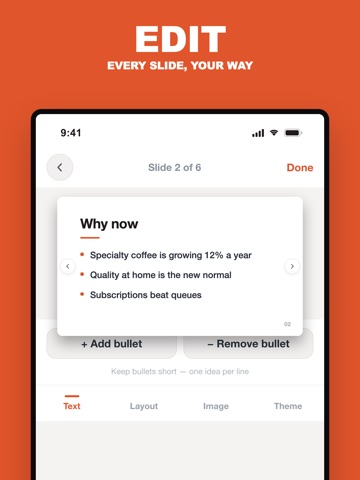
SlideLab turns a single topic into a complete, designed presentation — in seconds. Type what your presentation is about, pick a style and length, and SlideLab writes the whole deck for you: a strong opening, structured sections, key statistics, quotes, and a clear closing. Every slide is laid out automatically with clean, professional design. WHY SLIDELAB • From topic to full deck in seconds — no blank-page panic • Six smart slide layouts: title, bullets, big stat, quote, photo split, closing • Four design styles: Minimal, Bold, Editorial, Vibrant • Accent colors to match your brand • Works in 30+ languages — write your deck in the language you present in EDIT EVERYTHING Tap any text to rewrite it, switch a slide's layout, add or remove slides, swap photos with your own, change the theme color. Regenerate the whole deck with one tap if you want a fresh take. EXPORT & SHARE Export your presentation as a real PowerPoint (.pptx) file that opens in PowerPoint, Keynote, and Google Slides — then share it straight to Telegram, WhatsApp, email, or save it to Files. PERFECT FOR • Work presentations and team updates • Pitch decks and business proposals • School and university projects • Lectures, workshops, and webinars • Last-minute talks (we won't tell) Your decks stay on your device. No account needed, no ads, no data selling. SlideLab Pro is a weekly auto-renewing subscription. Payment is charged to your Apple ID account. Subscriptions renew automatically unless cancelled at least 24 hours before the end of the period. Manage in App Store settings. Terms of Use: https://slidelab.web.app/terms.html Privacy Policy: https://slidelab.web.app/privacy.html
Latest release
What’s New
Lite Weekly is now available. Russian and other long translations fit cleanly, and plan selection is clearer on every screen size.
Audience growth
Ratings growth
Baseline captured. Growth appears after the crawler observes a changed rating count.
Momentum comes from crawler snapshots for the tracked storefront. “Viral growth signal” means unusually fast recent rating gains; it is an indicator, not download data.
Price tracking
Price intelligence
- First observed Aug 19, 2026 · 9:37 AM Free
Screenshots