About this app
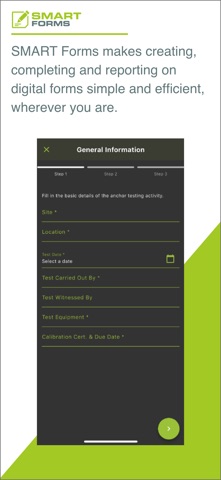
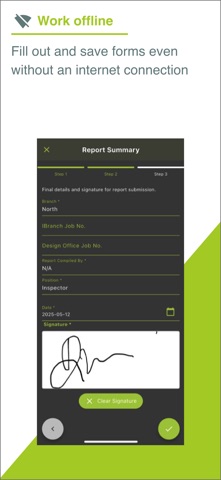
Our SMART Forms app makes it easy to complete, manage, and submit digital forms wherever you're working. From inspections and site checklists to customer reports and audits — everything is recorded securely and sent to the office without any paperwork. • Complete and submit digital forms on your mobile • Capture signatures, photos, and notes directly in the form • Use custom forms created specifically for your business • Offline support • Automatically saves and syncs data to your account • Built-in validation to reduce errors and incomplete submissions • No more lost paperwork or time spent rekeying • Instantly generate reports from submitted forms • View your active and completed forms on your device • Simple to use – no technical knowledge needed Perfect for site teams, safety officers, and field workers who need a fast, reliable way to complete reports on the go.
Latest release
What’s New
Bug fixes and stability improvements, including crashes at launch and when filling in forms.
Audience growth
Ratings growth
Baseline captured. Growth appears after the crawler observes a changed rating count.
Momentum comes from crawler snapshots for the tracked storefront. “Viral growth signal” means unusually fast recent rating gains; it is an indicator, not download data.
Price tracking
Price intelligence
First snapshot captured. The trend line starts after the next crawler price observation.
- First observed Sep 4, 2026 · 7:37 AM Free
Screenshots