About this app
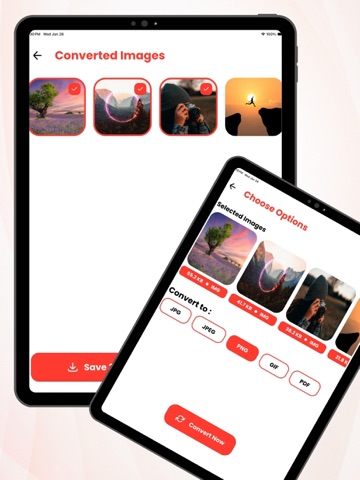
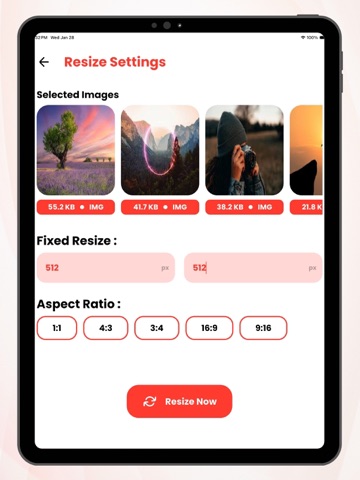
Smart Image Converter Tool: AI is a powerful yet easy-to-use image utility designed to help you manage, convert, and optimize photos effortlessly. Whether you need to change image formats, reduce file size, resize images, or bundle files together, this app provides all essential tools in one clean and simple interface. The app supports multiple image formats and allows you to convert images quickly without losing quality. With advanced compression options, you can significantly reduce file size while maintaining visual clarity—perfect for saving storage space, sharing images online, or uploading faster. You can select photos directly from your device gallery or files, preview selected images, and apply tools in just a few taps. The app is designed for speed and reliability, making it suitable for everyday users as well as professionals who work with images frequently. Key Features: - Convert images to popular formats such as JPG, JPEG, PNG, GIF, and PDF - Compress images to reduce size while preserving quality - Resize images easily with accurate output - Batch process multiple images at once - Zip multiple images into a single file - Save processed images directly to your device - Share images instantly with other apps - Clean, modern, and user-friendly design Why Choose This App?: - Fast and lightweight performance - High-quality output with minimal loss - Simple steps with clear preview before processing - Works offline after installation - Designed with privacy in mind—your images stay on your device Smart Image Converter Tool: AI is ideal for students, professionals, content creators, and anyone who needs reliable image tools on the go. Whether you’re converting photos, optimizing storage, or preparing images for sharing, this app makes the process simple and efficient. Download now and experience a smarter way to handle your images.
Latest release
What’s New
- Bug Fix!
Audience growth
Ratings growth
Baseline captured. Growth appears after the crawler observes a changed rating count.
Momentum comes from crawler snapshots for the tracked storefront. “Viral growth signal” means unusually fast recent rating gains; it is an indicator, not download data.
Price tracking
Price intelligence
First snapshot captured. The trend line starts after the next crawler price observation.
- First observed Oct 13, 2026 · 8:44 AM Free
Screenshots