About this app
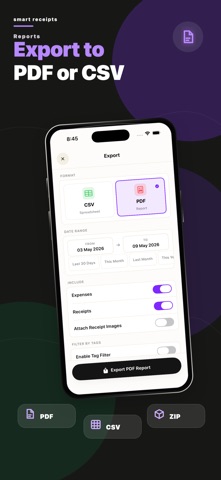
Scan, Track & Organize Receipts Easily! Smart Receipts helps you scan receipts, track expenses, and generate detailed reports for taxes, budgets, and reimbursements — all in one app. Why Choose Smart Receipts? • Receipt Scanner - Snap a photo or import a file, and Smart Receipts automatically extracts key details like merchant, total, tax, and date. • Receipt Organizer - Sort receipts into folders, add tags, categories, payment methods, and notes for quick access. • Expense Tracker - Track personal and business expenses with easy-to-read charts and insights. • Manual Currency Conversion - Enter and manage expenses in different currencies with flexible manual conversion. • Smart Predictions - Speeds up data entry by learning from your past receipts. • Flexible Export Options - Create professional PDF, CSV, or ZIP reports that fit your needs. • Cloud Backup Options - Secure your data with reliable backups, including OneDrive, so your receipts are always safe. Perfect For: • Tax Filings - Organize receipts and maximize returns • Business Users & Freelancers - Track expenses and reimbursements • Personal Finance - Manage daily spending and budgets • Warranties & Proof of Purchase - Store important receipts safely Stay Organized. Save Time. Maximize Your Returns. With AI-powered OCR, Smart Receipts removes the hassle of manual entry and keeps your finances under control. Download Smart Receipts today — the smarter way to scan, track, and manage your receipts. Some features may require an in-app purchase. Support: support@reku.dev Privacy Policy: https://smart-receipts.com/privacy.html Terms of Service: https://smart-receipts.com/terms.html
Latest release
What’s New
What’s New in Smart Receipts • Log refunds as negative amounts — reports net them automatically • New: export receipts only as their own PDF • Pick PDF image quality (High/Medium/Low) — much smaller email-friendly reports • Redesigned expense entry, lists with receipt thumbnails, smoother swipe actions • Weekly & monthly scan and report reminders • Bug fixes and performance improvements
Audience growth
Ratings growth
Baseline captured. Growth appears after the crawler observes a changed rating count.
Momentum comes from crawler snapshots for the tracked storefront. “Viral growth signal” means unusually fast recent rating gains; it is an indicator, not download data.
Price tracking
Price intelligence
First snapshot captured. The trend line starts after the next crawler price observation.
- First observed Aug 26, 2026 · 10:41 PM Free
Screenshots