About this app
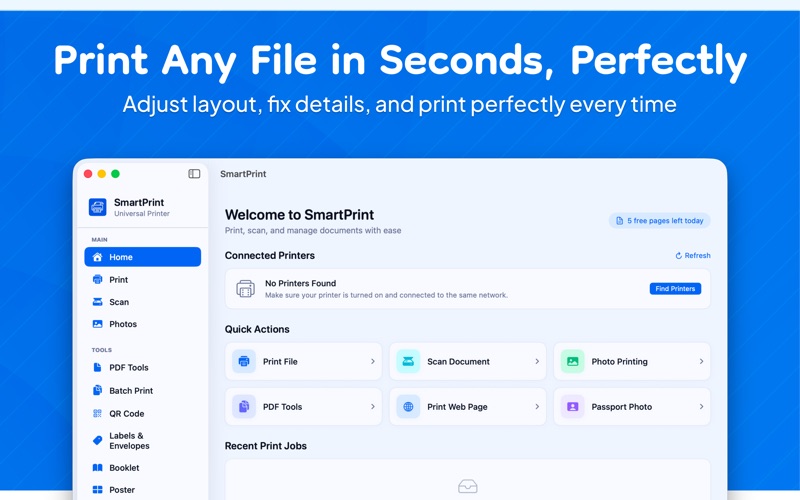
Print to ANY printer from your Mac — HP, Canon, Epson, Brother, Samsung, Xerox, and more. No complicated drivers needed. Just drag, drop, and print. SmartPrint is the all-in-one printing, scanning, and document management app built natively for macOS. Discover printers on your network automatically, print with full control over every setting, and use powerful PDF and photo tools — all from one beautiful app. UNIVERSAL PRINTING Works with 10,000+ printers from every major brand. Automatic printer discovery via WiFi, USB, and Bluetooth. Supports HP, Canon, Epson, Brother, Samsung, Xerox, Ricoh, and more. No extra drivers needed — uses native macOS printing. PRINT ANY FILE Drag and drop any document to print instantly. PDF, JPG, PNG, HEIC, TIFF, TXT, RTF files supported. Full print settings: paper size, orientation, quality, color mode, copies, page range, double-sided, and scale. Live print preview before sending to printer. SCANNING AND OCR Scan documents and extract text automatically. Multi-page scanning into single PDF. OCR text extraction powered by Apple Vision framework. Save as PDF, JPG, PNG, or TIFF. PDF TOOLS Merge multiple PDFs with drag-to-reorder. Split PDF into selected pages. Compress PDF for email. Lock and Unlock with password protection. PDF to Images and Images to PDF converter. Rotate pages and add text watermarks. PHOTO PRINTING Layout templates: 4x6, 5x7, 8x10 single photos. Multiple per page: 2, 4, or 9 wallet-size prints. Passport and ID photos: US, EU, India sizes with face detection. BUILT NATIVELY FOR MAC Pure SwiftUI — fast, smooth, and lightweight. Dark mode support. Keyboard shortcuts. Runs on macOS 13 Ventura and later. Apple Silicon and Intel supported. 10 languages supported. Terms of Use: https://website-ebon-ten-35.vercel.app/terms.html Privacy Policy: https://website-ebon-ten-35.vercel.app/privacy.html
Latest release
What’s New
NEW IN VERSION 1.1: • In-app language selector — 17 languages • SmartPrint Pro subscription with free trial • Redesigned onboarding with language picker • Dark mode improvements • Bug fixes and performance improvements
Audience growth
Ratings growth
Baseline captured. Growth appears after the crawler observes a changed rating count.
Momentum comes from crawler snapshots for the tracked storefront. “Viral growth signal” means unusually fast recent rating gains; it is an indicator, not download data.
Price tracking
Price intelligence
First snapshot captured. The trend line starts after the next crawler price observation.
- First observed Aug 8, 2026 · 10:38 PM Free
Screenshots