About this app
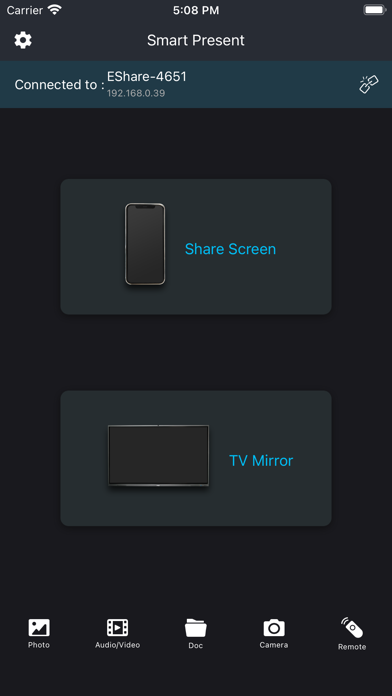
Smart Present allows you to control AIOS/AVS/SmartPresent endpoint from your iPad or iPhone. Use this app to: Wirelessly control your computer keyboard and mouse from a phone or tablet Remotely initiate screen mirroring and media streaming from your computer Use your AIOS/AVS/SmartPresent Endpoint as a second monitor Mirror any application or games (for watching) wirelessly on your iPhone/iPad screen to TVs over your wifi network Streaming or casting photos, videos, music from your iPhone&iPad to TVs Cast youtube, Vimeo, facebook, Netflix, huluplus, ... & any streaming media to TVs Reverse mirror your screen to hundreds of different endpoints. No cables, no additional hardware, nothing else needed Initiate presentations and flip through slides from your mobile device Remotely access media servers Minimize germ spread in environments where computers are a shared resource Control Your TV/Screen/Interactive Flat Panel Once paired, SmartPresent Remote can control the your screen. Extend Desktop Use your TV as a wireless second screen for your computer. Build Playlists Find media files on your computer and add them to a playlist for continuous streaming. Initiate reverse mirroring Initiate reverse screen mirroring connections to a number of receivers with no limitation on any endpoint from pc to mobile. Secure Pairing Pairing SmartPresent Sender to SmartPresent receiver is easy and secure. The apps are paired directly with no in-between connections. Use a Quick Connect Code of SSID, automatic discovery to begin.
Audience growth
Ratings growth
Baseline captured. Growth appears after the crawler observes a changed rating count.
Momentum comes from crawler snapshots for the tracked storefront. “Viral growth signal” means unusually fast recent rating gains; it is an indicator, not download data.
Price tracking
Price intelligence
First snapshot captured. The trend line starts after the next crawler price observation.
- First observed Aug 14, 2026 · 7:54 PM Free
Screenshots