About this app
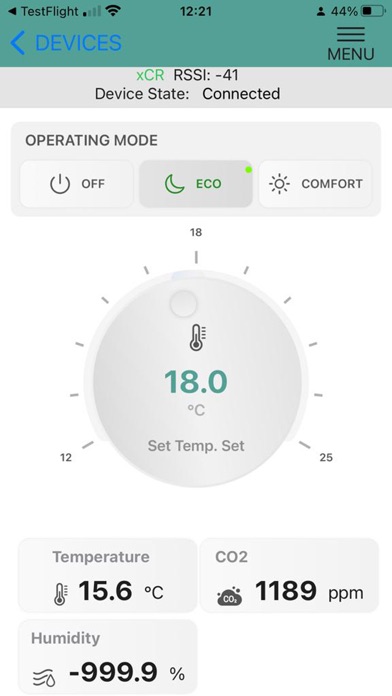
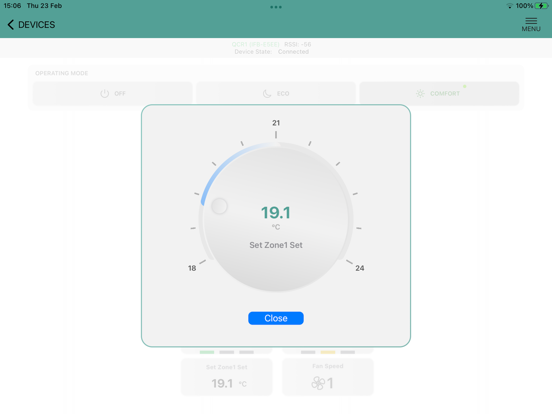
The SmartView app is used for controlling the Senticon's Intelligent Room Controllers and Smart Room Sensors. With the SmartView app you can change your room settingsand monitor the room measurements. For example with the TCR/QCR controllers you can change the (heating/cooling) setpoint, operating mode (occupied/unoccupied/night), fan speed and analyse the current demand. The SmartView app connects to the device using Bluetooth connection of you iPhone/iPad. Once connected to the device, and if first time, the SmartView interrogates the device and automatically builds the view required to control your room. Once the configuration has been created, next time upon connection you can immediately start to change the settings.
Latest release
What’s New
V1.08 has additional debugging that if the device/controller does not have register that being read during the display setup, then after 5 tries to read it is ignored. Also the device view is not accessible until the display configuration has been fully loaded.
Audience growth
Ratings growth
Baseline captured. Growth appears after the crawler observes a changed rating count.
Momentum comes from crawler snapshots for the tracked storefront. “Viral growth signal” means unusually fast recent rating gains; it is an indicator, not download data.
Price tracking
Price intelligence
First snapshot captured. The trend line starts after the next crawler price observation.
- First observed Sep 6, 2026 · 3:23 AM Free
Screenshots