About this app
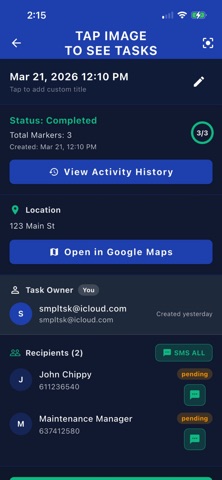
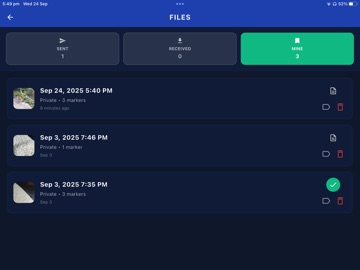
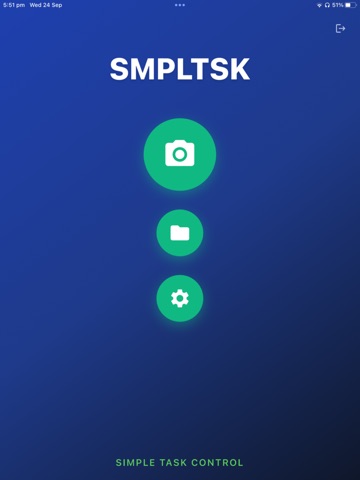
You've been doing it the same way for years. If it was working, you wouldn't be here. SMPLTSK is the fix that takes 60 seconds to learn. SMPLTSK is a simple, visual task app built by a builder, for builders and tradies. SNAP A PHOTO Take a picture of any job site, work area, or equipment. DRAW AND MARK THE TASKS Draw or tap anywhere on the photo to place numbered markers. Add a description for each task. Red markers = work pending. SET REMINDERS AND TRACK COMPLETION Workers tap each marker to read instructions, complete the task, and mark it done. Red turns to green — instant visual progress. SHARE INSTANTLY Send task photos to anyone via text, email, or any messaging app. No accounts needed for your team to view and understand. WHY VISUAL TASK LISTS WORK BETTER With SMPLTSK, there's no confusion about WHICH tile needs replacing or WHERE the defect is. Point at it. Mark it. Done. PERFECT FOR: - Defect lists and snagging - Punch lists and inspections - Parts lists and shopping reminders - Maintenance checklists - Construction site tasks - Equipment service reminders - Property inspections - Any visual task communication WHY AUSTRALIAN BUILDERS LOVE SMPLTSK: - No training needed — if you can take a photo, you can use it - Free to try — one image, six tasks, no credit card required - Made by a registered Melbourne builder who understands your problems - Simple interface designed for busy tradies, not tech experts THE PROBLEM WE SOLVE: You SMS: "Replace the third tile from the left, four rows up from the corner near the door." With SMPLTSK you send an image with the exact tile marked. Workers send a completion photo back. No confusion, no wasted time. Which one has a higher chance of getting it done right the first time? BUILT FROM REAL EXPERIENCE: "As a registered builder, I have to communicate effectively or profits vanish. I tried many methods but unfinished tasks, forgotten tools and worker misunderstandings were eating my time and money. I learned that most people respond better to visual cues so I created SMPLTSK. Now I send tasks quickly and follow progress as my workers see their jobs and tick off their lists." Download free today. Stop the back-and-forth. Make it a SMPLTSK. Privacy Policy: https://smpltsk.com/privacy-policy.html Terms of Service: https://smpltsk.com/terms-of-service.html
Latest release
What’s New
A couple of small but important fixes for iOS users: Keyboard fix — The keyboard now behaves correctly when adding comments, so you can type without the dialog getting in the way. Badge count fix — The app icon notification badge now stays in sync properly so you always know when you have tasks waiting.
Audience growth
Ratings growth
Baseline captured. Growth appears after the crawler observes a changed rating count.
Momentum comes from crawler snapshots for the tracked storefront. “Viral growth signal” means unusually fast recent rating gains; it is an indicator, not download data.
Price tracking
Price intelligence
First snapshot captured. The trend line starts after the next crawler price observation.
- First observed Aug 19, 2026 · 10:15 AM Free
Screenshots