About this app
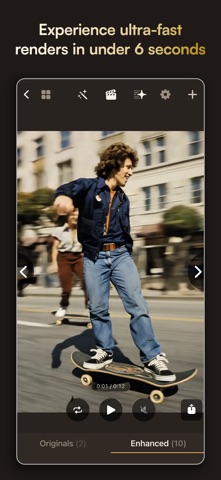
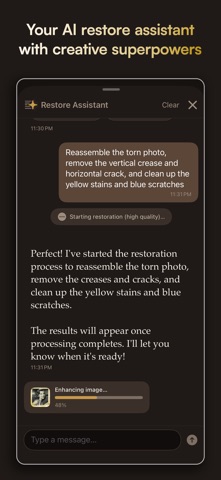
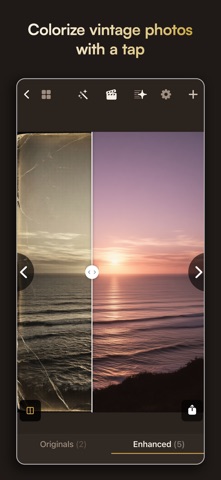
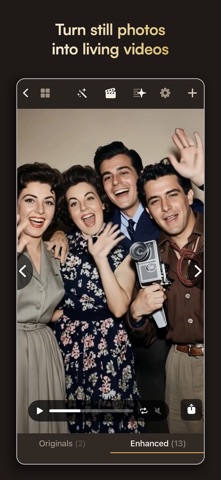
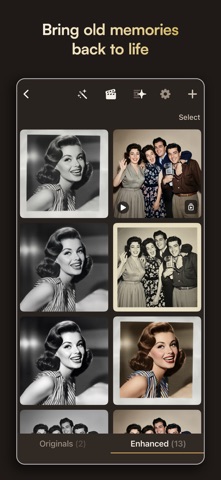
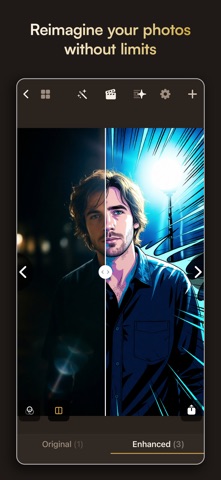
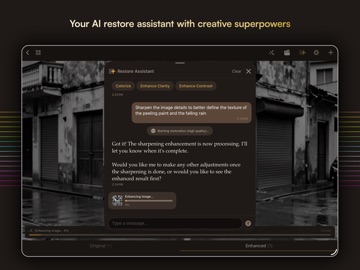
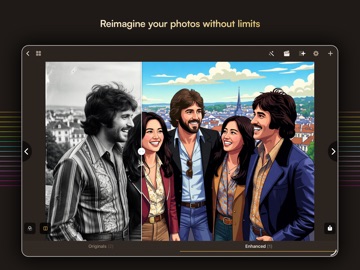
Sogni Restore brings damaged, faded, aging, and poorly scanned photos back to life — and can even turn them into cinematic videos. Restore treasured memories, enhance details, reimagine images creatively, and create something entirely new from the photos you already have. Just import a photo, describe what you want, and let Sogni Restore do the rest. Private by design and unrestricted, it gives you the freedom to restore, enhance, and transform your photos your way. Features: Photo Restoration Made Simple Restore and enhance photos with four intelligent modes tailored to your image: • Gentle Restore: Clean up scratches and spots while preserving vintage character • Deep Clean: Remove tears, stains, dust, and heavier age-related damage • Color Revival: Bring back faded color and correct washed-out or yellowed tones • Full Remaster: Sharpen details, improve clarity, and modernize overall quality Choose Fast processing for quick results or High Quality for premium 25-step rendering. Turn Photos Into Living Videos Animate still photos into cinematic clips with advanced open-source video models powered by Sogni intelligence: • Cinematic mode (LTX-2.3): High-quality 24 fps video with synthesized audio and ambient sound • Fast mode (WAN 2.2): Quick 16 fps animations • Create videos from 2 to 20 seconds • Generate multiple variations • Stitch clips into montage videos • Create videos from text alone, even without a source photo AI Restore Assistant Edit naturally through conversation. Just describe what you want: • Remove scratches and restore color • Make this look like it was taken yesterday • Put the subjects from both images into a single image • Create a video from this photo • Apply a vintage film look • Turn this into an oil painting The assistant understands your images, suggests improvements, and carries out edits using specialized tools. Chat history is saved per project, survives app restarts, and stays 100% private on your device. Creative Tools Beyond Restoration • Style Transfer: Apply artistic styles and era-inspired looks • Iterative Refinement: Keep improving results with follow-up instructions • Image Composition: Combine multiple images into one • Camera Angle Generation: Create new perspectives from a photo • 360° Orbit Videos: Generate smooth rotating views around your subject • AI Vision Analysis: Describe images, extract text, and identify content • Text-to-Image: Create entirely new images from descriptions More Control Over Every Result • Choose JPG or PNG output • Upscale images up to 4x • Generate in popular aspect ratios including 16:9, 9:16, 4:5, 1:1, 4:3, 3:2, and 21:9 • Use Smart Prompt to enhance instructions automatically with scene analysis Compare Before and After Use the interactive reveal slider to compare your original and restored image and see exactly what changed. Organize Full Restoration Projects • Import from Photos, Camera, or Files • Keep multiple photos in one project • View the full enhancement tree from original to final result • Keep videos linked to their source images • Batch enhance, animate, export, or share multiple items at once • Share originals, restored images, videos, or entire projects Private and Protected • Private by design • Chat history stays only on your device • Optional content safety filter • Face ID or Touch ID required to disable safety protections Sample Project Included Explore a preloaded sample project with original photos, restored results, and animated videos to experience the full workflow right away. Powered by the decentralized Sogni Supernet, a global GPU network that runs advanced open-source creative AI models for fast, high-quality image and video processing. Terms of Use (EULA): https://www.apple.com/legal/internet-services/itunes/dev/stdeula/
Latest release
What’s New
• Restore, enhance and create without limits with the new Sogni Unlimited subscription. • Bug fixes and optimization
Audience growth
Ratings growth
Baseline captured. Growth appears after the crawler observes a changed rating count.
Momentum comes from crawler snapshots for the tracked storefront. “Viral growth signal” means unusually fast recent rating gains; it is an indicator, not download data.
Price tracking
Price intelligence
First snapshot captured. The trend line starts after the next crawler price observation.
- First observed Aug 8, 2026 · 4:00 PM Free
Screenshots