About this app
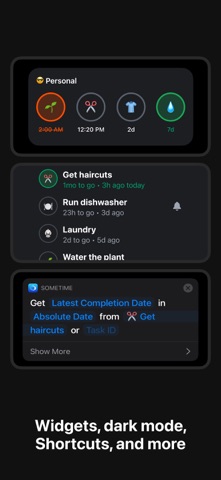
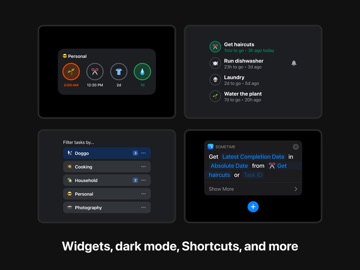
Sometime lets you easily track and complete recurring tasks in your daily life. People have used it to: - Know when to take medicine and remember the last time they did it - Keep their plants alive by being gently reminded - Be on top of paying their bills every month - Check when and where they got their last haircut - Replace their Brita water filter on time before the inevitable algae domination - And more! ——— YOUR TASKS AT A GLANCE - See all of your tasks with reminders for Today and in the Future. - Organize your tasks into categories and quickly switch between them. - Sort by Last Done to see tasks you haven't done in a while. - Sort by Upcoming to see reminder times more clearly. SET FLEXIBLE REMINDERS - Set a reminder that occurs minutes/hours/days/weeks/months after your task is completed. - Set a daily reminder that occurs at the times you specify. - Set a weekly, monthly or yearly reminder at the days and times you specify. - Set a one-off reminder at a date and time you specify. - Choose a custom notification sound. - (Pro) Get notified after your task is past deadline with overdue reminders. VISUALIZE YOUR HABITS - Get a better sense of how often you complete a task with informative charts. - See your average, shortest and longest time interval between completions. - Easily add, edit and remove completions from history. OTHER FEATURES - (Pro) Add notes when you complete a task to remember additional context. - iCloud sync: Keep your data private and in sync across your devices. - Notification and Spotlight search actions: Quickly complete a task or set a one-off reminder without opening the app first. - Home screen widgets - Task: See the next reminder date or the last completion for a task. - Today: See upcoming reminders for all tasks or tasks in a category. - Support for Siri and Shortcuts with actions like: - Get tasks for today - Complete a task - Get last completion date for a task - Get the next reminder date for a task - Remind me later for a task - Export your task completions as CSV. Have feedback, suggestions or questions? Contact us at support@irisation.com
Latest release
What’s New
Minor tweaks: - Improved task history scrolling performance and reliability. - VoiceOver for frequency chart now speaks the correct number of completions. No longer broken: - Fixed app freezing in task history when text size is set to 160%.
Audience growth
Ratings growth
Baseline captured. Growth appears after the crawler observes a changed rating count.
Momentum comes from crawler snapshots for the tracked storefront. “Viral growth signal” means unusually fast recent rating gains; it is an indicator, not download data.
Price tracking
Price intelligence
First snapshot captured. The trend line starts after the next crawler price observation.
- First observed Aug 24, 2026 · 10:13 AM Free
Screenshots