About this app
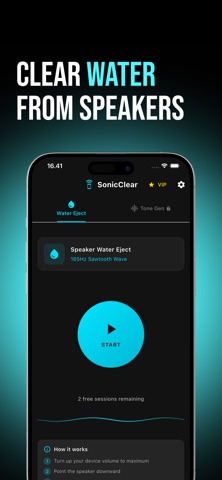
Is your speaker suddenly quiet, muffled, or distorted after getting wet? SonicClear - Speaker Cleaner uses special sound frequencies to eject water and debris from your speaker so your sound can be loud and clear again. By playing carefully tuned tones, the app vibrates the speaker membrane and pushes out trapped water, dust, and small particles from the speaker grill, earpiece, and bottom speaker openings. It’s quick, easy, and you can do it yourself—no tools required. Key features: Automatic cleaning mode Play a special sound sequence designed to vibrate the speaker and push out water, dust, and fine particles. Multiple intensity levels Choose the cleaning strength: light for slightly damp speakers, or stronger for speakers that are full of water. Quick cleaning sessions One short session can help reduce muffled audio and improve clarity. Simple one‑tap interface Minimal design with clear controls—open the app, tap Start, and let it work. How to use: Remove the phone case or anything covering the speaker area if possible. Turn your device volume up to the recommended level. Open SonicClear - Speaker Cleaner, choose a cleaning mode, and tap Start. Let the sound play until the session is finished. Repeat 1–2 times if the sound is still muffled. SonicClear - Speaker Cleaner works best after: Your phone gets splashed or dropped in water. Drinks or other liquids spill on your device. The speaker suddenly sounds quiet, dull, or distorted. Terms of Use: https://www.apple.com/legal/internet-services/itunes/dev/stdeula/
Audience growth
Ratings growth
Baseline captured. Growth appears after the crawler observes a changed rating count.
Momentum comes from crawler snapshots for the tracked storefront. “Viral growth signal” means unusually fast recent rating gains; it is an indicator, not download data.
Price tracking
Price intelligence
First snapshot captured. The trend line starts after the next crawler price observation.
- First observed Aug 22, 2026 · 12:44 PM Free
Screenshots