About this app
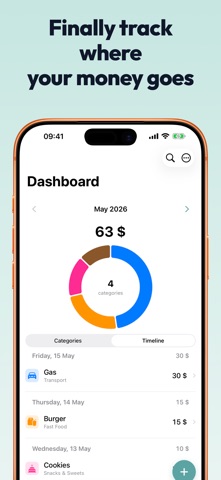
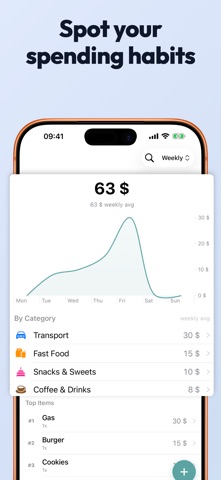
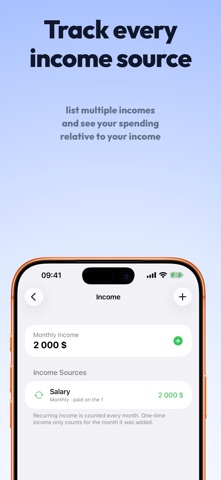
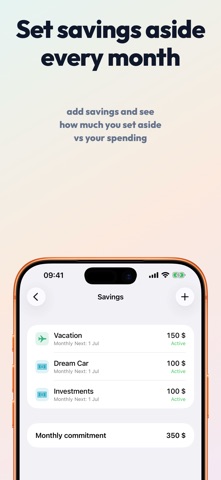
Know where your money actually goes. Spentio is a private expense tracker designed for quick daily logging. Clear, separate fields for amount, name, and category make each entry deliberate and mistake-resistant. Category suggestions adapt to your history, so most entries need just a tap. Charts show the patterns without the guilt. DESIGNED FOR DAILY USE • Streamlined entry flow — separate fields for amount, title, and category • Autocomplete learns from your history • Smart category suggestions adapt as you use the app • Inline category creation — no friction • Quantity, date, and store fields when you need them SEE THE FULL PICTURE • Monthly dashboard with a donut chart breakdown • Drill down from category totals to individual purchases • Weekly, monthly, yearly, and all-time views • Month-over-month deltas • Per-category trends with detailed charts INCOME, BILLS AND SAVINGS • Track recurring expenses and subscriptions • Set savings goals alongside your spending • Optional income tracking with a remaining-budget bar • Custom spending periods (start your month whenever payday hits) HOME SCREEN WIDGET Small and medium widgets show your spending at a glance. Toggle between "spent" and "remaining" to match how you think. EXPORT AND OWN YOUR DATA • CSV export for any date range • Formatted PDF reports • iCloud sync across your devices — processed by Apple, never seen by us PRIVACY FIRST Your financial data never leaves your device unless you choose iCloud sync. No analytics. No third-party tracking. No account required. No ads, ever. SPENTIO PRO Unlock unlimited recurring expenses and savings goals, yearly and all-time stats, category trend charts, budget alerts, weekly and monthly summaries, CSV and PDF export, and the remaining-budget widget mode. Available as a monthly subscription or a one-time lifetime purchase. Made by Tupungato Studios. Terms of Use (EULA): https://www.apple.com/legal/internet-services/itunes/dev/stdeula/ Privacy Policy: https://tupungatostudios.com/en/privacy/spentio
Latest release
What’s New
Fixed an issue where a recurring income could stop counting toward your monthly income after adding a one-time income. Your totals now add up correctly.
Audience growth
Ratings growth
Baseline captured. Growth appears after the crawler observes a changed rating count.
Momentum comes from crawler snapshots for the tracked storefront. “Viral growth signal” means unusually fast recent rating gains; it is an indicator, not download data.
Price tracking
Price intelligence
First snapshot captured. The trend line starts after the next crawler price observation.
- First observed Sep 8, 2026 · 3:41 PM Free
Screenshots