About this app
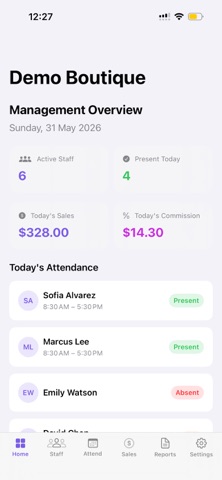
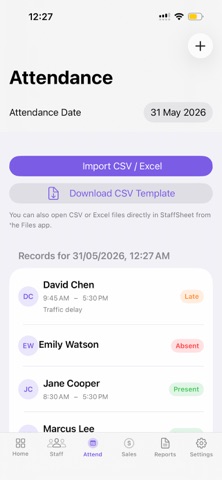
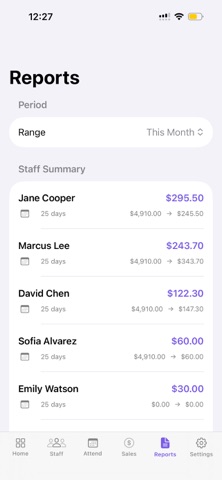
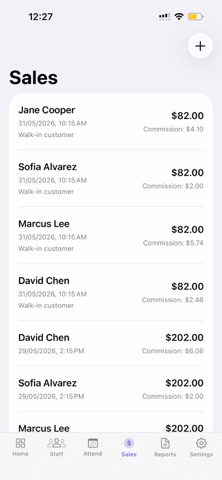
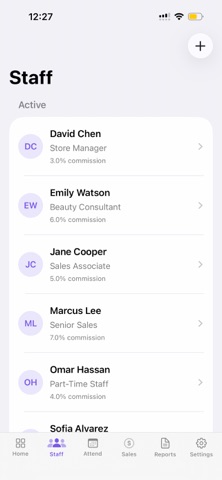
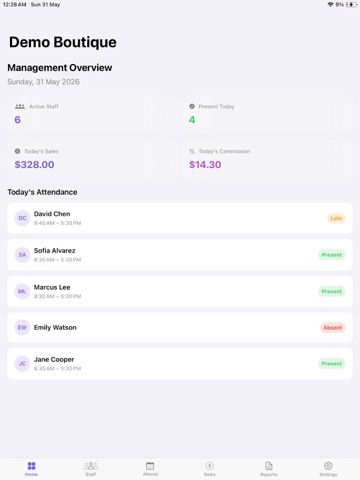
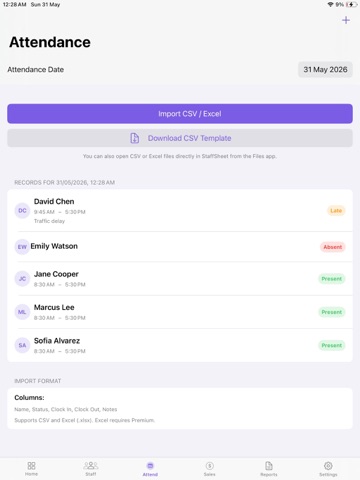
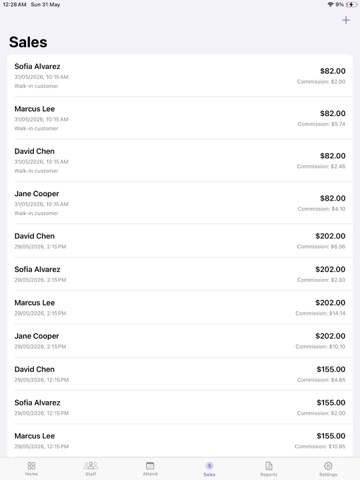
StaffSheet is the simple way for small business owners, managers, and HR teams to track employee attendance and calculate sales commissions — without messy spreadsheets or complicated payroll software. Built for retail shops, cafes, salons, boutiques, pharmacies, and service businesses with 2–12 employees. WHY STAFFSHEET • Know exactly who worked and when • Calculate fair commissions based on sales performance • Reduce mistakes and disputes at salary time • Import attendance directly from Excel or CSV • Keep everything private and offline on your device BULK ATTENDANCE IMPORT • Import daily attendance from Excel (.xlsx) or CSV files • Download a ready-made CSV template pre-filled with your staff • Open spreadsheet files directly in StaffSheet from the Files app • Match staff automatically and preview before saving • Track Present, Late, Absent, and Half Day status with clock-in/out times STAFF MANAGEMENT • Add employees with name, role, and photo • Set individual commission rates per staff member • View each employee’s attendance history and performance COMMISSION ENGINE • Percentage of sales commission • Fixed amount per sale • Manual commission override when needed • Log sales and assign them to staff members • Add bonuses, advances, and deductions REPORTS FOR PAYROLL • Weekly and monthly summaries • Days worked, total sales, commission earned, net payable • Export CSV reports with attendance and commission details • Export PDF staff summaries (Premium) BUILT FOR MANAGEMENT TEAMS StaffSheet is designed for owners, CEOs, and HR — not a staff kiosk. You stay in control of records, imports, and payroll review. OFFLINE & PRIVATE • All data stored locally on your device • No account required • No cloud dependency for daily use • Your team’s pay data stays with you FREE TO START • Up to 3 staff members • 30-day history • Manual attendance and basic commission tracking STAFFSHEET PREMIUM — SUBSCRIPTION • Unlimited staff members • Full attendance history • Bulk Excel & CSV import • PDF & CSV payroll export • Pay adjustments (bonus, advance, deduction) Terms of Use (EULA): https://www.apple.com/legal/internet-services/itunes/dev/stdeula/
Audience growth
Ratings growth
Baseline captured. Growth appears after the crawler observes a changed rating count.
Momentum comes from crawler snapshots for the tracked storefront. “Viral growth signal” means unusually fast recent rating gains; it is an indicator, not download data.
Price tracking
Price intelligence
First snapshot captured. The trend line starts after the next crawler price observation.
- First observed Aug 19, 2026 · 3:17 PM Free
Screenshots