About this app
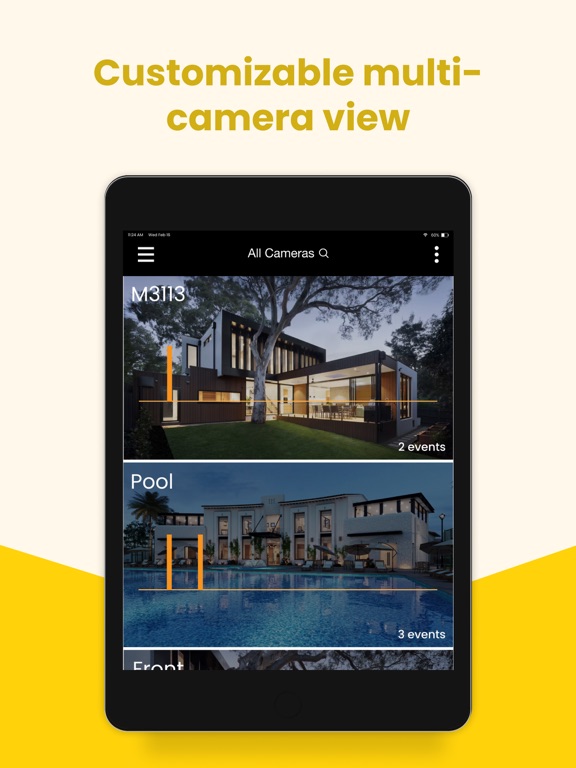
Nimbus Cloud Video provides a simple, cost-effective cloud video monitoring system for various small business applications. Our mobile app allows easy access to your Nimbus Cloud Video from anywhere! With the Nimbus Cloud Video Mobile App you can: - Watch live video from your cameras - View and manage your recorded video from cloud or edge storage - Receive alerts notifications of health status, motion or I/O trigger events - Configure camera settings for motion, record schedules and more - Edit your user specific account settings - Define cameras and users by Groups and unique labels - Dynamic multi-view layouts - In app de-warping of Hanwha fisheye camera - Share short video clips or images with others Supported Camera Brands: - Axis Communications – AVHS single imager cameras - Hanwha – Model specific single imager cameras Common Uses: - Monitor your business from anywhere and anytime - Get notified with the health status of your cameras - Receive notifications on motion or event triggers for quick easy look-ins after hours - Cost-effective video security for your business - Add cloud storage and access for specific site cameras as a stand alone or redundant solution
Latest release
What’s New
- Major new release that includes revamped UI and support for all new Cloud AI feature (coming soon!) - Cloud AI feature now detects and notifies when a person, vehicle, animal or other object appeared in the video - Added a brand new timeline layout - New filtering allows users to view the events that matter, whether motion events from their camera or Cloud AI labels - Brand new event carousel that shows a preview of events detected - New event coloring - All new push notifications that includes video preview of the detected event or Cloud AI activity - Removed the lock button and replaced it with a PTZ button to use pan/tilt and optical zoom. - Added digital zoom right in the main player (without locking) - Tutorial update with Cloud AI capabilities - Max 50 cameras shown on the cameras screen. New message appears to select the proper group. - New roles for users - Menu change: Event Triggers is now called Camera Events - This turns on/off events in the cloud - Menu change: MDA is now called Events - this is where you configure all Events including motion detection area - Sensitivity moved to the Events menu - Fixed bug with incorrect event counts on the main cameras page - Fixed issues with Record Mode and Event triggers changing with schedules
Audience growth
Ratings growth
Baseline captured. Growth appears after the crawler observes a changed rating count.
Momentum comes from crawler snapshots for the tracked storefront. “Viral growth signal” means unusually fast recent rating gains; it is an indicator, not download data.
Price tracking
Price intelligence
First snapshot captured. The trend line starts after the next crawler price observation.
- First observed Aug 17, 2026 · 10:06 AM Free
Screenshots