About this app
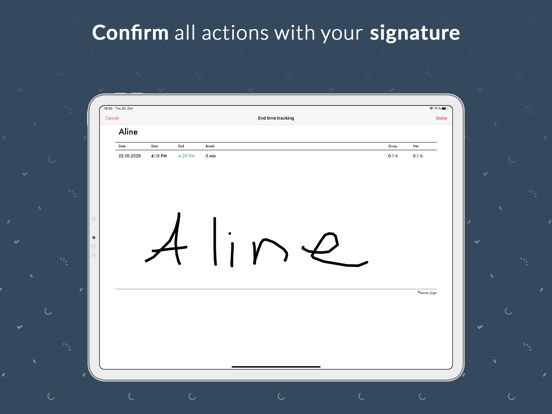
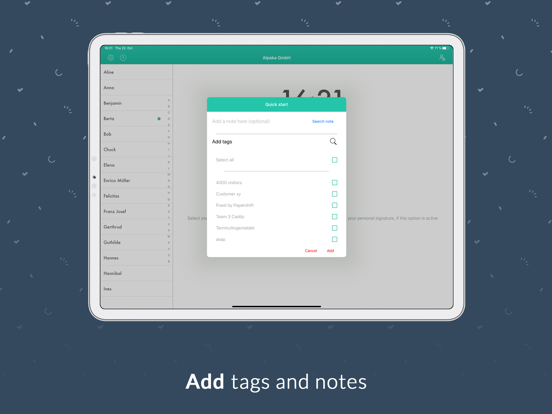
The Papershift time clock is the ideal way to digitally track, edit and synchronize employee working hours with the Papershift Cloud. Settings and time records are automatically synchronized when a network connection is available and are always up to date. In addition to these basic functions, the app also offers: -ADMIN FEATURES- With an Admin Account you can set up a stationary time tracking device for several employees. For example, a tablet at a central location where employees can clock in, clock out and take a break. Automatic breaks or tags can also be taken into account. -EMPLOYEE FEATURES- With an employee account, in addition to using the mobile clocking functions, an overview of existing time tracking can be displayed and edited, and the current hours account can be viewed. Also keep track of your hourly account and your remaining vacation days. All this can be done easily via an existing Papershift login. -ADDITIONAL FEATURES- Explore more options, such as stamping via employee pin or confirmation with signature. If you have any questions contact our support: support@papershift.com
Latest release
What’s New
- Fixed toggle buttons in settings.
Audience growth
Ratings growth
Baseline captured. Growth appears after the crawler observes a changed rating count.
Momentum comes from crawler snapshots for the tracked storefront. “Viral growth signal” means unusually fast recent rating gains; it is an indicator, not download data.
Price tracking
Price intelligence
First snapshot captured. The trend line starts after the next crawler price observation.
- First observed Aug 16, 2026 · 4:13 AM Free
Screenshots