About this app
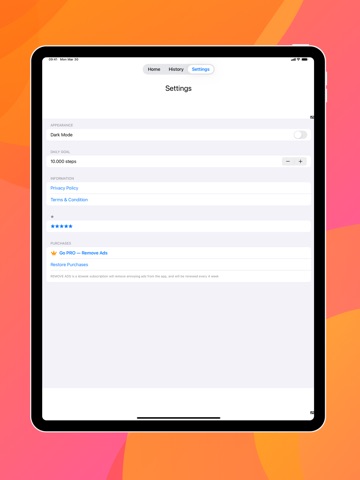
Record your activity in HealthKit conveniently, without having to carry your phone with you at all times, with just one click. If you've forgotten to carry your phone, activity tracker or pedometer, don't worry, with Step AS ME you can add your activity quickly and easily from the comfort of your home or office. -Record your activity in HealthKit -Easy to use -Track your activity during the week -In just a few minutes your activity log is uploaded to HealthKit. This app uses HealthKit or CareKit to record new steps or workouts, for this you need the required permissions when you open the App. Record your physical activity, such as walks, runs or steps comfortably from the couch or lying in bed, with this app you can record your sporting activity with peace of mind when you get home without having to carry your cell phone with you. With Step AS ME | NEW Fit As ME | Poket Walker Fit , you can record your walking or running activity quickly and comfortably, synchronizing all your physical activity, when you forget to carry your cell phone with this pocket walker. Step AS ME | NEW Fit As ME | Poket Walker Fit allows you to record all your steps and kilometers traveled when you do not carry your cell phone with just 2 touches, it opens quickly and allows you to record your steps quickly. Check on the graph all the steps you have recorded with the pocket walker, or also in list form, these two options allow you to keep track of the walks or steps you take, with a simple interface. Enjoy the new dark mode of Step AS ME | NEW Fit As ME | Poket Walker Fit, record your steps saving battery with the new dark mode of the app, and also take care of your eyesight thanks to this mode. It has never been so easy to record your steps, runs or walks, from the comfort of home, sometimes we go out to dangerous places and do not want to carry the phone, this app allows you to record your activity after the fact without having to carry the phone all the time. With this Step AS ME | NEW Fit As ME | Poket Walker Fit you can quickly check the steps you have taken in recent days, in the form of a graph or a list, we recommend you to walk every day to improve your health. With Step AS ME | NEW Fit As ME | Poket Walker Fit you can record your exercises on your mobile even when you run or walk on the running machines, thanks to this app you can also record that exercise and thus keep your exercises up to date and always recorded. Hatch out of your shell by doing more exercise and logging it in Step AS ME | NEW Fit As ME | Poket Walker Fit. We hope you enjoy Step AS ME | NEW Fit As ME | Poket Walker Fit in case of any problem or doubt you can leave a review or contact us. Terms & Condition: https://ghapps1.wordpress.com/terms-condition/ Privacy Policy: https://ghapps1.wordpress.com/privacy-policy/
Latest release
What’s New
• Bug fixes and performance improvements
Audience growth
Ratings growth
Baseline captured. Growth appears after the crawler observes a changed rating count.
Momentum comes from crawler snapshots for the tracked storefront. “Viral growth signal” means unusually fast recent rating gains; it is an indicator, not download data.
Price tracking
Price intelligence
First snapshot captured. The trend line starts after the next crawler price observation.
- First observed Sep 1, 2026 · 2:56 PM Free
Screenshots