About this app
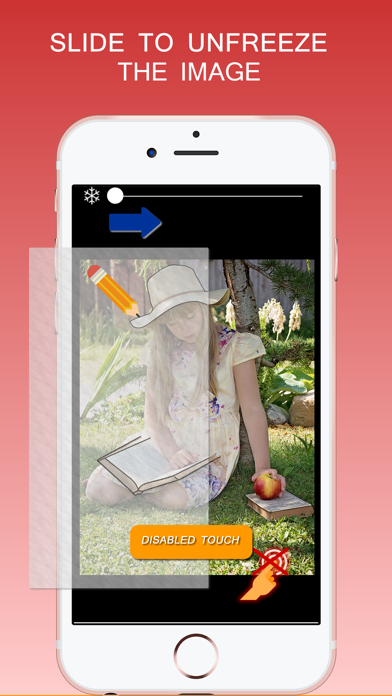
If you want to quickly freeze the image on the screen and avoid accidental touch or rotation, then this app is for you. You can hold your phone or tablet whatever way you like without worrying about touching the screen and image moving away. The image will remain on the screen with its orientation locked. Below are a few situations that you will find Still Screen app extremely helpful: - Use it on your phone when viewing your shopping list image in the store. Hold your phone in whatever way you like and the shopping list stays on your screen. - Freeze the screen when you are passing your phone to other people to see an image. You have surely experienced that people accidentally touched the screen and moved away from the intended image. Use Still Screen app to avoid similar situation in future. - You want to give your phone to a cashier to scan a coupon bar code but don’t want him or her to accidentally touch the coupon image and move away from the screen. Again, use Still Screen app to freeze the image of coupon before giving it to cashier. - Use it to freeze the image of your boarding pass before boarding the plane. - You want to trace something from an image of your iPad. Use Still Screen to freeze the image temporarily during tracing.
Latest release
What’s New
This app has been updated by Apple to prepare for watchOS 27 compatibility. No new features are included. Bug fixes
Audience growth
Ratings growth
Baseline captured. Growth appears after the crawler observes a changed rating count.
Momentum comes from crawler snapshots for the tracked storefront. “Viral growth signal” means unusually fast recent rating gains; it is an indicator, not download data.
Price tracking
Price intelligence
First snapshot captured. The trend line starts after the next crawler price observation.
- First observed Sep 4, 2026 · 8:26 AM $2.99
Screenshots