About this app
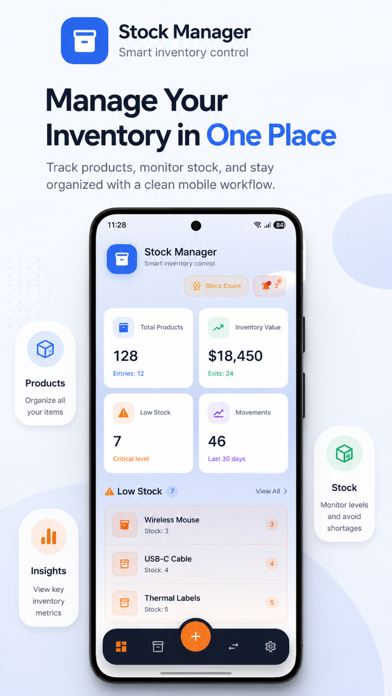
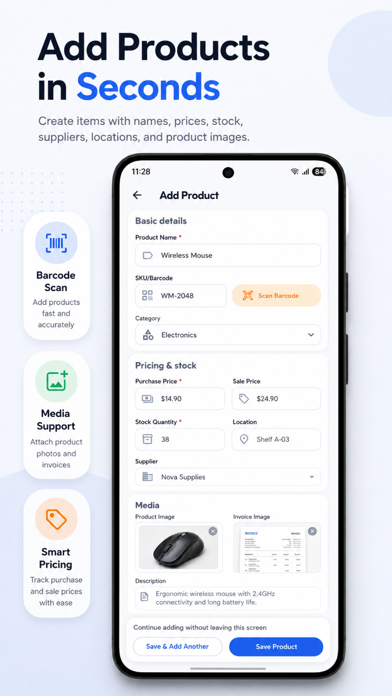
Stock Manager is an inventory management app for small businesses, retailers, warehouses and offices. Organize products, monitor stock levels, record inventory activity and create business reports from one place. Product management Create product records with names, barcodes, categories, descriptions, purchase and selling prices, stock quantities, locations and supplier details. Add product images, documents, custom attributes, batch numbers, manufacturing dates and expiration dates. Barcode and smart entry Scan barcodes with the device camera or enter them manually. AI-assisted product reading can suggest names, barcodes, prices, descriptions, batch numbers and relevant dates from product images. You review every suggestion before saving. Search, stock and warehouses Find products by name, SKU, category or barcode. Use grid or list view, filter inventory by category, warehouse or custom attributes, and record stock entries, sales, removals, corrections and warehouse transfers. Reports, PDFs and documents Generate product, inventory, movement, transfer and stock-summary reports in PDF, CSV or Excel format. Preview, save, print or share reports. Create invoices, quotations, delivery notes and stock exit slips with customizable PDF templates and business branding. Backup and account tools Create manual or automatic local backups, restore backup files and manage your account, email verification, password, membership and account deletion request inside the app. Eligible plans may include cloud synchronization and restoration for supported inventory data. Free and optional paid features The free version includes essential inventory tools and may display advertisements. Some advanced features require an in-app purchase or subscription, including higher or unlimited product limits, AI-assisted scanning, advanced reports, multiple product images, stock counting, customer and supplier directories, multi-warehouse management, cloud protection and ad removal. Stock Manager is not an accounting, tax, legal, official invoicing or official document validation service. Review your business records, reports and exports before relying on them. Website: https://devoviastudio.com/ Support: info@devoviastudio.com
Audience growth
Ratings growth
Baseline captured. Growth appears after the crawler observes a changed rating count.
Momentum comes from crawler snapshots for the tracked storefront. “Viral growth signal” means unusually fast recent rating gains; it is an indicator, not download data.
Price tracking
Price intelligence
First snapshot captured. The trend line starts after the next crawler price observation.
- First observed Aug 20, 2026 · 10:56 PM Free
Screenshots