About this app
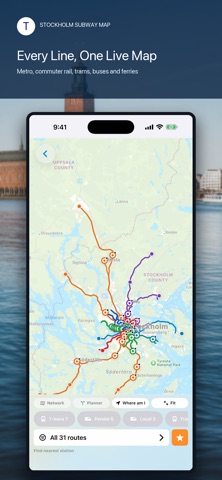
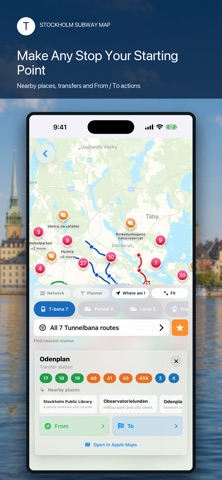
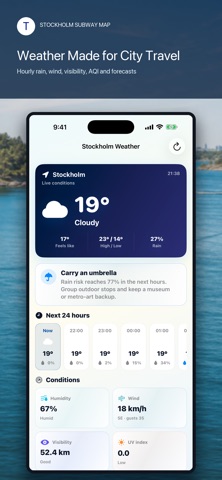
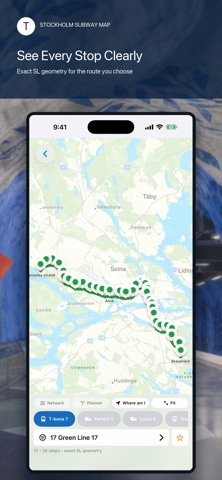
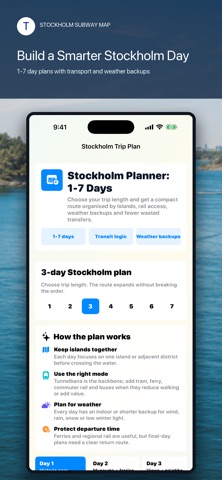
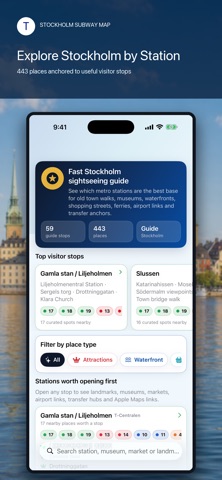
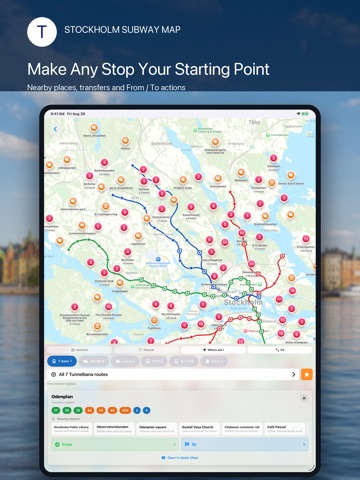
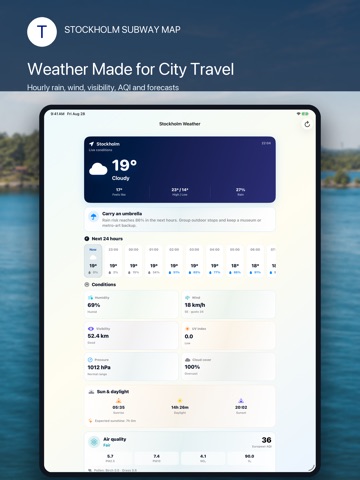
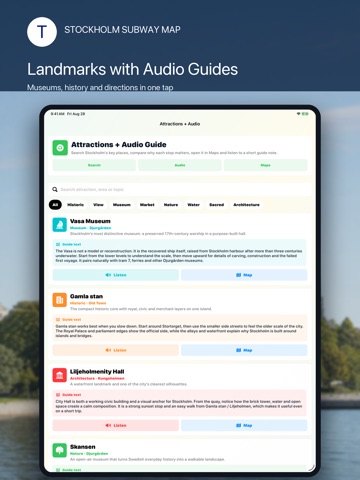
Stockholm is easier when every connection is in one place. Stockholm Subway Map brings the city’s transport network, route planning and essential visitor tools together in one clear travel companion. Explore Tunnelbana lines, commuter rail, local rail, trams, buses and ferries—then turn any station into the starting point for your day. SEE THE WHOLE STOCKHOLM NETWORK • View the complete color-coded transit network on an interactive map. • Switch between Tunnelbana, Pendeltåg, local rail, tram, bus and ferry services. • Focus on one route to see its geometry and stops without visual clutter. • Fit the network to the screen or move directly to your current area. PLAN FROM A TO B Choose an origin and destination, select the transport types you want to use and build a practical journey across Stockholm. Route results show estimated travel time, transfers, intermediate stops and useful platform details when available. Need more control? Adjust route priorities and compare transport combinations for the journey that fits your day—not just the first option on the screen. UNDERSTAND EVERY STOP Tap a station to see connecting lines, transfer options and nearby places. Use the dedicated From and To actions to start planning immediately, or open the location in Apple Maps when you need street-level directions. DISCOVER STOCKHOLM BY STATION The built-in city guide connects sightseeing with transport, so you can spend less time crossing the city and more time enjoying it. Explore Gamla stan, Slussen, Djurgården, the Vasa Museum, Stockholm City Hall, waterfront walks, museums, markets, viewpoints and neighborhood highlights from useful transit anchors. Create a compact 1–7 day Stockholm plan with sensible area grouping, transport suggestions and weather-aware alternatives. Browse curated attractions, read concise guide notes and use available audio guides to add context while you explore. TRAVEL TO AND FROM THE AIRPORT Compare practical access options for Stockholm Arlanda, including Arlanda Express, commuter rail and airport coach connections. Find the right central interchange and continue by metro, tram, bus or ferry. WEATHER BUILT FOR CITY DAYS Check current Stockholm conditions, hourly forecasts, rain risk, temperature, wind, visibility, humidity, UV information and air-quality details. Use the travel recommendation card to decide whether to plan a waterfront walk, group outdoor stops or keep an indoor alternative ready. MORE USEFUL TRAVEL TOOLS • Sunrise and sunset information • Airport and transfer guidance • Safety and emergency information • Shopping and Tax Free guidance • Hotels, tours, insurance and mobile-data shortcuts • Practical city facts and visitor information MADE FOR REAL STOCKHOLM TRIPS Whether you are arriving for a weekend, commuting across the city or planning a longer Sweden visit, Stockholm Subway Map helps you understand the network before you step onto the platform. Download Stockholm Subway Map and make your next connection—and your next discovery—feel effortless. Stockholm Subway Map is an independent travel application and is not affiliated with or endorsed by SL or any transport operator. Routes, services and travel conditions can change. Verify time-sensitive journeys and disruptions with official transport sources. Online maps, live weather and external services require an internet connection.
Latest release
What’s New
• A redesigned interactive network map for Tunnelbana, Pendeltåg, local rail, trams, buses and ferries. • Improved route geometry and stop markers for easier line-by-line exploration. • Expanded bus coverage with route grouping that keeps a large network manageable. • A new multimodal planner with origin and destination selection, transport filters and route priorities. • Rich route results with estimated duration, transfers, intermediate stops, map context and platform details when available. • Upgraded station cards with connecting services, nearby places and fast From / To actions. • A new Stockholm city guide organized around useful transport stops. • Curated attractions with concise guide notes, map links and available audio guides. • A flexible 1–7 day trip planner with area grouping, transit logic and weather alternatives. • A completely redesigned Stockholm weather screen with hourly conditions, rain risk, wind, visibility, UV and air-quality details. • Improved iPad layouts, localization, readability and visual consistency throughout the app. • Performance improvements and fixes across maps, planning and navigation.
Audience growth
Ratings growth
Baseline captured. Growth appears after the crawler observes a changed rating count.
Momentum comes from crawler snapshots for the tracked storefront. “Viral growth signal” means unusually fast recent rating gains; it is an indicator, not download data.
Price tracking
Price intelligence
- First observed Aug 12, 2026 · 5:39 AM Free
Screenshots