About this app
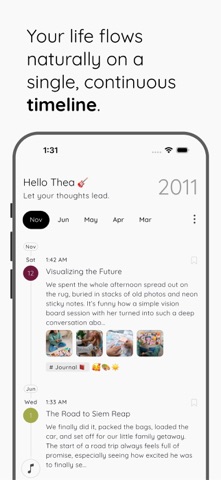
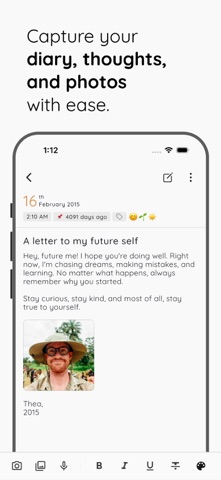
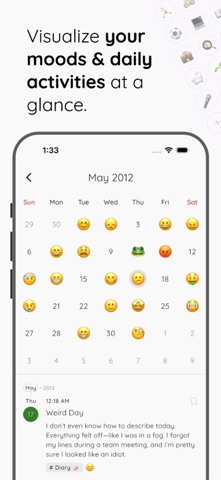
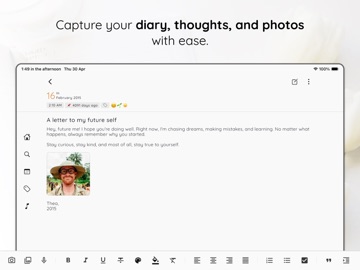
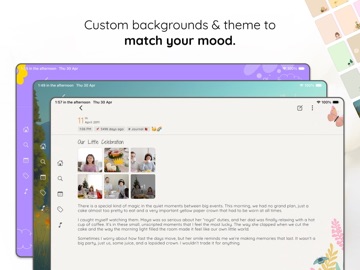
StoryPad is an open source, privacy-focused, local-first journal that lets you capture your life: notes, thoughts, emotions, and memories on a single, continuous timeline. No folders. No tabs. Just your life, beautifully organized. Featured by It’s FOSS and MakeUseOf for our commitment to open-source and user privacy. == KEY FEATURES == 1. Fully Customizable Writing • Bold, italic, underline, strikethrough • Text color, background color, highlights • Quotes, checklists, ordered/unordered lists • Text alignment, indentation, links • Support for multiple fonts, adjustable font sizes & weight 2. Throwback Memories Revisit what you wrote on this exact day - 1, 2, or even 3 years ago. Reflect on how far you've come and respond to your past self, right from your timeline. Throwbacks appear only if you've written something on this day in a previous year or a few years ago. 3. Photo Memories • Add multiple photos per page • Align photos left, right, center, or full-width • Image previews included in export 4. Mood & Activity Insights • Express exactly how you feel using any emoji from your system keyboard • Track your mental well-being over time with mood history and calendar view 5. Multi-Page Entries • Add multiple pages inside 1 entry • With multiple layouts to fit your writing style • Great for journaling prompts, novels, long-form writing, and daily notes 6. Organization & Search • Tag, bookmark, or pin important stories to the top. • Fast search by title, tag, year, or content. 7. Privacy First • Lock with PIN, FaceID, or fingerprint • Security question recovery • Everything stays on your device unless you choose to sync 8. Backup & Sync • Direct sync with your private Google Drive folder - only you can see it • Works offline anytime • One-tap local export for safe backup 9. Make It Yours • Choose from serene environments, animals, and textures. • Personalized Fonts: Select and style 1,300+ Google Fonts. • Custom Themes: 20+ colors with automatic Light & Dark modes. 10. Export & Portability • Universal Formats: Export to Text, Markdown, or StoryPad format. • Obsidian Ready: Fully compatible with Obsidian and other markdown editors. • Offline Backup: Import or export your entire journal locally at any time. • Easy Sharing: Share stories directly to X, Facebook, or with friends. 11. Accessible for All • Available in 20+ languages • Open-source for full transparency == Make Every Day a Story == Website: https://storypad.me Open Source: https://github.com/theachoem/storypad
Latest release
What’s New
1. Video Support: Record, capture, and play video in your entries. 2. Nextcloud Backup: Back up to your own Nextcloud server, not just Drive. 3. Bug Fixes & Improvements: Faster maps, smoother startup, and crash fixes.
Audience growth
Ratings growth
Baseline captured. Growth appears after the crawler observes a changed rating count.
Momentum comes from crawler snapshots for the tracked storefront. “Viral growth signal” means unusually fast recent rating gains; it is an indicator, not download data.
Price tracking
Price intelligence
First snapshot captured. The trend line starts after the next crawler price observation.
- First observed Sep 4, 2026 · 4:59 AM Free
Screenshots