About this app
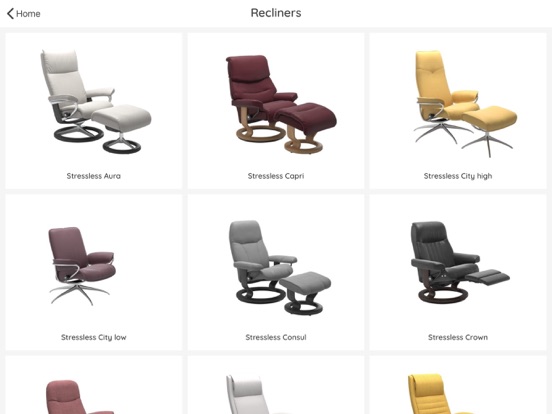
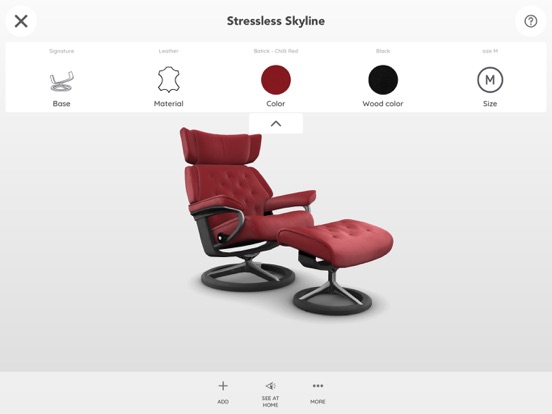
With Stressless @home, you can design and see your Stressless furniture before you purchase it. You can even configure multiple Stressless products and see them together – in your living room or wherever you want! About the app: - Free configuration of each model - Visualization of the furniture with 360-degree spin and zoom in 3D - Visual comparison of several pieces of furniture in one view - Save as many configurations as you want (stored on your phone) - Share your configuration by e-mail - Take a screenshot of your configured furniture and share it (great to take into the store!) - Use the Augmented Reality feature to see your configured product(s) in a room The AR functionality gives a true impression of size, design and how it would fit in your home. Leaving no doubt in your mind when you go on to purchase! To use the AR functionality: - Make sure to have an open floor space and that the room is well lit. - Scan the floor by pointing the mobile camera at it and by moving your mobile device around. - When a suitable area is found you will be notified. When the furniture is positioned, you can move it around freely. If you like the Stressless @home app or want to give us feedback, please leave a review in the App store. It would be much appreciated! Stressless @home uses ARKit and is compatible with iPhone 6s or newer or iPad 2017 or newer. Please note that a data-generated image can never actually replicate the actual object. Color and size may deviate some from the actual furniture – but we have done our very best to keep the differences to an absolute minimum, so you can get the most accurate impression possible.
Latest release
What’s New
We regularly update the application to improve stability and user experience. In this new version: - Performance improvement - Bug fixes
Audience growth
Ratings growth
Baseline captured. Growth appears after the crawler observes a changed rating count.
Momentum comes from crawler snapshots for the tracked storefront. “Viral growth signal” means unusually fast recent rating gains; it is an indicator, not download data.
Price tracking
Price intelligence
First snapshot captured. The trend line starts after the next crawler price observation.
- First observed Aug 20, 2026 · 2:03 AM Free
Screenshots