About this app
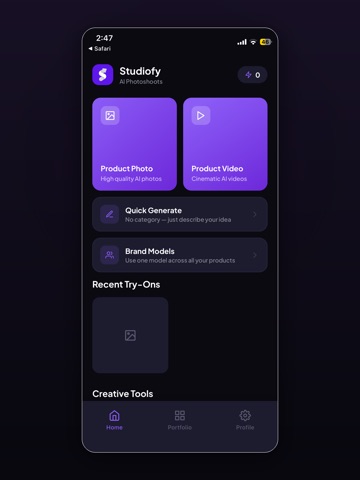
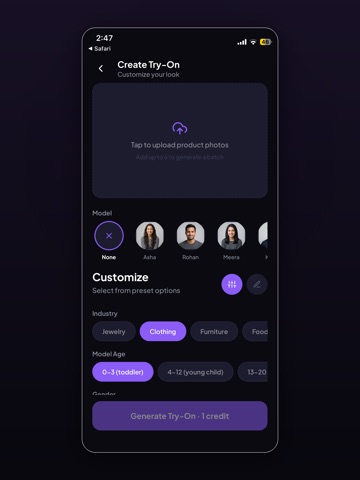
Studiofy helps you create new product photos with AI. Choose a product image, select a category and style, and create a studio or lifestyle scene. CREATE PRODUCT PHOTOS • Category-specific photo settings for clothing, jewelry, eyewear, footwear, bags, watches, furniture and food. • Optional AI model references for a consistent creative direction. • Custom scene descriptions and square, portrait or landscape formats. • Before-and-after comparison, an on-device photo gallery, and save/share controls. FREE AND ACCOUNT-FREE This iOS version has no sign-in, credits, subscriptions or in-app purchases. Photo generation requires an internet connection. Video generation is not included in this version. YOUR PHOTOS Before uploading, Studiofy asks permission to send your selected photo and instructions to Studiofy and its third-party AI processor for AI processing. Saved creations stay in your on-device Studiofy gallery until you delete them. Read the privacy policy for temporary server storage and provider data handling. AI-generated images can alter product details. Check colors, text, logos and construction before using an image in a listing or advertisement. Only upload photos you have permission to use. Support: studiofy.help@gmail.com Privacy: https://studiofy-uv7h.onrender.com/ios/privacy Terms: https://www.apple.com/legal/internet-services/itunes/dev/stdeula/
Audience growth
Ratings growth
Baseline captured. Growth appears after the crawler observes a changed rating count.
Momentum comes from crawler snapshots for the tracked storefront. “Viral growth signal” means unusually fast recent rating gains; it is an indicator, not download data.
Price tracking
Price intelligence
First snapshot captured. The trend line starts after the next crawler price observation.
- First observed Sep 19, 2026 · 12:25 AM Free
Screenshots