About this app
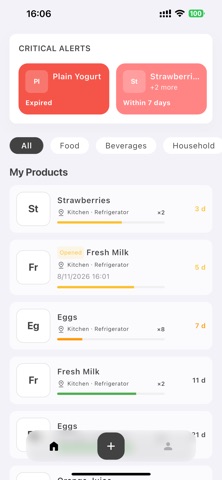
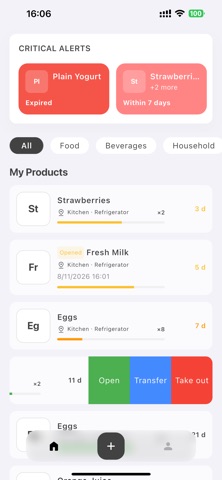
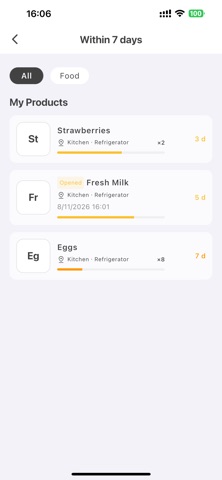
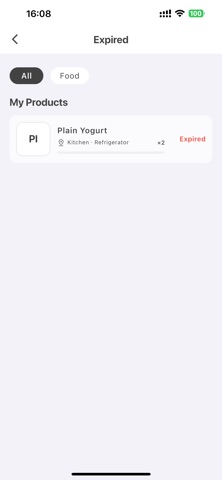
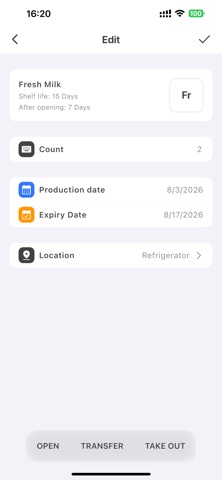
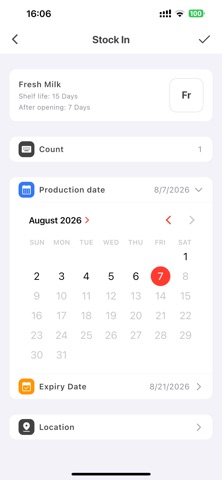
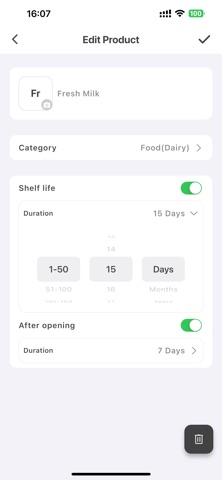
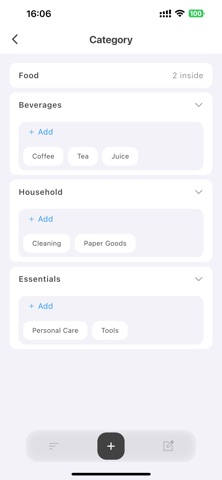
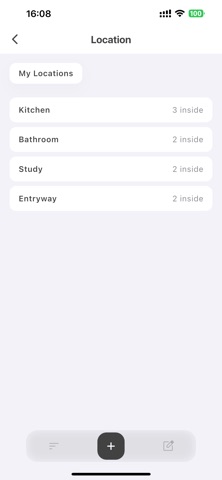
Where did I put it? When does it expire? Stuff Keeper helps you organize food, household supplies, and everyday items while keeping their quantities, locations, and expiry status easy to understand. PRODUCT PROFILES Save each product’s name, image, category, shelf life, and shelf life after opening. When you stock the same product again, there is no need to re-enter its basic information. INVENTORY AND DATES Record quantities, production dates, expiry dates, opening times, and storage locations. Keep every active inventory record clear and up to date. EXPIRY AT A GLANCE See expired and soon-to-expire items together on the home screen. Remaining-day indicators help you decide what to use first. CATEGORIES AND LOCATIONS Organize items with product categories and multi-level storage locations. Whether something is in the kitchen, refrigerator, or storage cabinet, its location is easy to find. QUICK INVENTORY ACTIONS Stock items in, mark them as opened, move them to another location, or take them out with convenient inventory actions. OPTIONAL ICLOUD SYNC Your data is stored locally by default. When iCloud sync is enabled, product profiles, inventory records, categories, locations, and images can be kept updated across your Apple devices. PERSONALIZED EXPERIENCE Stuff Keeper supports English, Simplified Chinese, Traditional Chinese, Japanese, and Korean. System, Light, and Dark appearance modes are also available. No account or registration is required to use the core organization tools. Upgrade to PRO to remove quantity limits for product profiles, categories, storage locations, location levels, and active inventory records. Stuff Keeper PRO is available as an auto-renewable monthly subscription, a one-month pass, or a lifetime purchase. For the auto-renewable monthly subscription, payment will be charged to your Apple Account when the purchase is confirmed. The subscription automatically renews unless canceled at least 24 hours before the end of the current subscription period. You can manage or cancel your subscription in your Apple Account subscription settings after purchase. Privacy Policy: https://lishaofeng0903.github.io/stuff-keeper-legal/privacy/ Terms of Use: https://lishaofeng0903.github.io/stuff-keeper-legal/terms/
Latest release
What’s New
This update introduces Home Screen widgets, making it easier to check products that are expiring soon or have already expired without opening the app. - Added Small, Medium, and Large widgets - Choose a reminder range of 7, 15, or 30 days - Option to include expired products - Tap a product in the widget to open its details - Improved layouts and overall user experience Thank you for using Stuff Keeper!
Audience growth
Ratings growth
Baseline captured. Growth appears after the crawler observes a changed rating count.
Momentum comes from crawler snapshots for the tracked storefront. “Viral growth signal” means unusually fast recent rating gains; it is an indicator, not download data.
Price tracking
Price intelligence
First snapshot captured. The trend line starts after the next crawler price observation.
- First observed Sep 1, 2026 · 2:28 PM Free
Screenshots