About this app
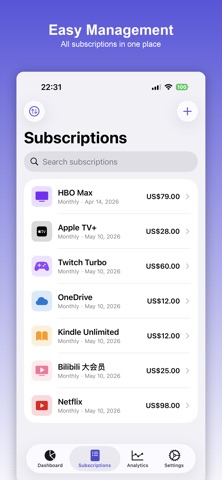
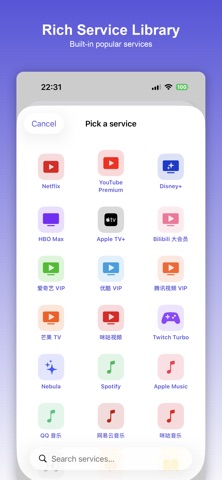
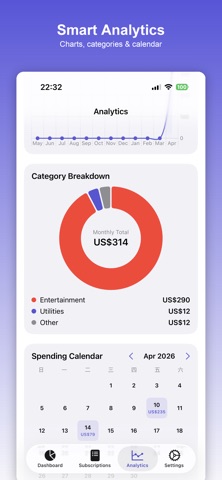
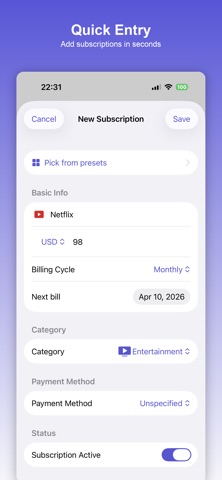
SubLens is a privacy-first subscription bill tracker that helps you take back control of every recurring charge — without ever uploading your data. KEY FEATURES • One-tap add — 80+ built-in service templates with name, icon and price pre-filled • Monthly overview — real-time total spend, normalized across weekly / monthly / quarterly / yearly cycles • Upcoming bills — clear 7-day and 30-day calendar of what's about to charge • Smart reminders — push notifications 7 / 3 / 1 days before each bill, never miss a trial cancellation again • Trial tracking — automatic free-trial end-date alerts so you're never silently rolled over • Multi-currency — 11 major currencies (USD, EUR, JPY, CNY, GBP, HKD, …) auto-converted • Budget alerts — set a monthly cap and get warned before you blow it • Advanced analytics — line charts, pie charts, calendar view of your spending shape • CSV export — full data export at any time PRIVACY FIRST Every byte stays 100% on your device. No account, no servers, no bank connection, no analytics SDKs. We literally cannot see your bills. PRO SUBSCRIPTION Free version supports up to 8 subscriptions. Pro unlocks unlimited subscriptions, custom categories, multi-currency, advanced analytics, calendar view, CSV export and budget alerts. Payment is charged to your Apple ID. Subscriptions auto-renew within 24 hours of period end at the same price unless cancelled. Manage or cancel anytime in Settings → Apple ID → Subscriptions. Privacy Policy: https://app-legal-pages.vercel.app/sublens/privacy Terms of Service: https://app-legal-pages.vercel.app/sublens/terms
Latest release
What’s New
SubLens 1.0.1 - first batch of fixes and refinements: - Yearly Pro now includes a 7-day free trial. Paywall CTA shows the trial duration, price after trial, and auto-renewal disclosure. - Default payment methods expanded: Apple Pay, Credit Card, Debit Card, PayPal, Google Pay, Venmo, Bank Transfer (plus Alipay and WeChat Pay for users who need them). - Dashboard "Spending by Category" cards are now tappable. Tap a category to see all subscriptions in it with the monthly total. - Fixed: keyboard now dismisses on scroll across all forms; a Done button is available in the keyboard accessory. - Fixed: subscription count on payment-method rows now updates immediately. - Fixed: editing a subscription no longer shows a redundant Cancel button next to the back chevron. - Polish across the paywall plan picker, color swatches, and icon options. Thanks for the feedback - please keep it coming at captainlongevity@gmail.com.
Audience growth
Ratings growth
Baseline captured. Growth appears after the crawler observes a changed rating count.
Momentum comes from crawler snapshots for the tracked storefront. “Viral growth signal” means unusually fast recent rating gains; it is an indicator, not download data.
Price tracking
Price intelligence
First snapshot captured. The trend line starts after the next crawler price observation.
- First observed Aug 7, 2026 · 9:10 PM Free
Screenshots