About this app
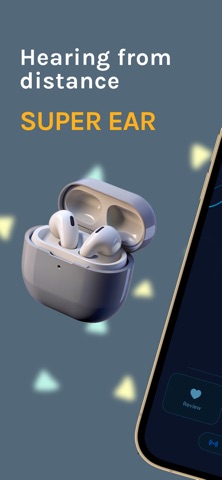
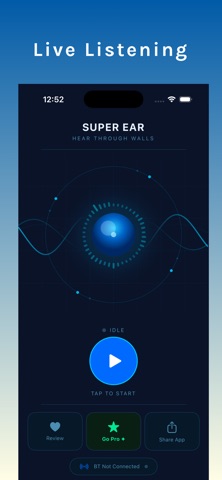
Super Ear helps you hear more clearly by turning your iPhone into a live sound amplifier for Bluetooth headphones and compatible hearing devices. Whether you're following a conversation, listening to a lecture, monitoring a nearby room, or enjoying nature sounds, Super Ear streams live audio from your device's microphone directly to your ears. Simply connect your Bluetooth headphones, place your iPhone where you want to capture sound, and listen in real time within your Bluetooth connection range. No complicated setup—just open the app, connect, and start listening. WHY YOU'LL LOVE SUPER EAR • Live Audio Streaming – Listen to sounds captured by your iPhone's microphone in real time. • Bluetooth Headphone Support – Works with AirPods, wireless earbuds, Bluetooth headphones, and compatible hearing devices. • Sound Amplifier – Increase the volume of voices and everyday sounds to make listening easier. • Hearing Enhancement – Improve speech clarity in many everyday environments. • Adjustable Audio Boost – Fine-tune amplification for comfortable listening. • Room Audio Monitoring – Place your phone in a nearby room and listen through your Bluetooth headphones while remaining within Bluetooth range. • Simple One-Tap Controls – Start listening quickly with an easy-to-use interface. • Low-Latency Audio – Optimized for responsive live listening. • Lightweight & Efficient – Designed for smooth performance and efficient battery usage. GREAT FOR • Conversations in busy environments • Meetings and presentations • Lectures and classrooms • Watching TV without disturbing others • Listening to nature and wildlife • Monitoring a nearby room while you're at home • Parents checking on a child's room while remaining within Bluetooth range • Everyday listening assistance • Users looking for additional sound amplification HOW IT WORKS 1. Connect your Bluetooth headphones or compatible hearing device. 2. Place your iPhone where you want to capture audio. 3. Start live listening. 4. Hear the audio streamed directly to your connected headphones. DESIGNED FOR EVERYDAY LISTENING Whether you're trying to hear a speaker more clearly, follow conversations, monitor audio in another room of your home while within Bluetooth range, or simply amplify quiet sounds, Super Ear provides a simple live listening experience using your iPhone and Bluetooth headphones. FAST, SIMPLE, AND EASY TO USE No complicated configuration. No extra hardware required. Launch the app, connect your Bluetooth headphones, and begin live audio streaming in seconds. Download Super Ear and enjoy clear live audio, sound amplification, hearing enhancement, Bluetooth listening, and an easier way to hear the sounds that matter most. Important: Always respect the privacy of others and use Super Ear only where you have permission to capture audio. Bluetooth range and audio quality depend on your device, headphones, and surrounding environment. Terms of Use (EULA): https://www.apple.com/legal/internet-services/itunes/dev/stdeula/
Audience growth
Ratings growth
Baseline captured. Growth appears after the crawler observes a changed rating count.
Momentum comes from crawler snapshots for the tracked storefront. “Viral growth signal” means unusually fast recent rating gains; it is an indicator, not download data.
Price tracking
Price intelligence
First snapshot captured. The trend line starts after the next crawler price observation.
- First observed Aug 11, 2026 · 2:55 AM Free
Screenshots