About this app
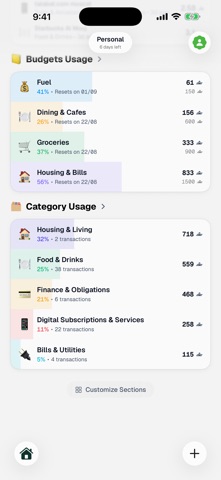
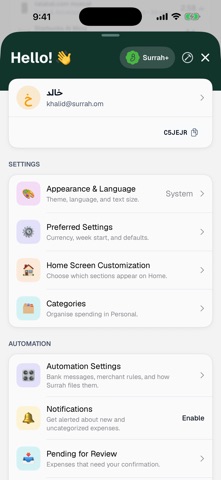
Take Control of Your Finances with Surrah Surrah is your all-in-one personal finance companion designed to help you master your money. Whether you're tracking daily expenses, managing budgets, or saving for your dreams. - Smart Expense Tracking Record expenses in seconds with categorized tracking. Attach receipts, add notes, and never lose sight of where your money goes. - Budgets That Work Create custom budgets for different spending categories. Track your progress with visual gauges and stay within your limits. Allocate income directly to budgets and watch your financial discipline grow. - Savings Goals Dream big and save smart. Set savings goals with target amounts and deadlines. Track your progress and celebrate when you reach your milestones. - Subscription Tracker Never be caught off guard by recurring payments. Track all your subscriptions in one place with payment reminders. - Powerful Insights Understand your spending habits with beautiful analytics. View daily averages, top categories, spending trends, and monthly projections. - Shared Spaces Manage household finances together. Create shared spaces for family, roommates, or projects. Everyone stays in sync. - Multi-Currency Support Perfect for GCC residents and global citizens. Supports SAR, AED, KWD, USD, EUR, and 30+ currencies with automatic conversion. - Bank-Level Security Your data stays private with Face ID and Touch ID protection. Biometric lock keeps your finances secure. - Beautiful & Bilingual Elegant design in both English and Arabic. RTL support with a native experience in your preferred language. Terms and Conditions: https://www.apple.com/legal/internet-services/itunes/dev/stdeula/
Latest release
What’s New
Home screen widgets. • Spending Summary — your total, transactions, daily average and largest expense for the period. • Commitments — what's left after everything already spoken for, and what leaves your account next. • Budget Usage — the budgets you choose, each row filling as you spend. Three sizes each, with a refresh button on every one.
Audience growth
Ratings growth
Baseline captured. Growth appears after the crawler observes a changed rating count.
Momentum comes from crawler snapshots for the tracked storefront. “Viral growth signal” means unusually fast recent rating gains; it is an indicator, not download data.
Price tracking
Price intelligence
First snapshot captured. The trend line starts after the next crawler price observation.
- First observed Sep 8, 2026 · 1:08 AM Free
Screenshots