About this app
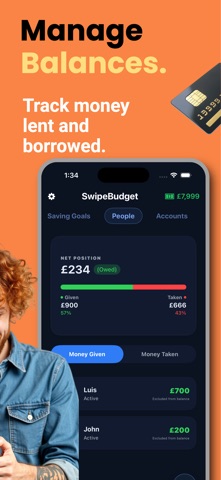
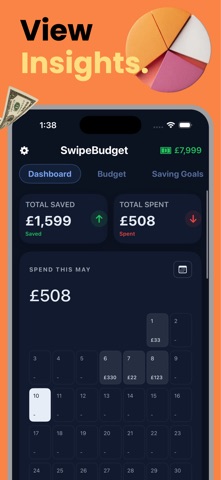
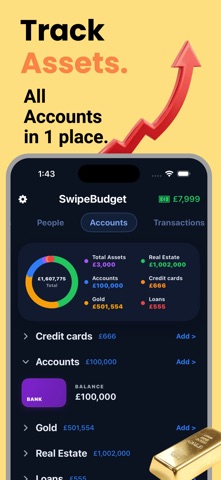
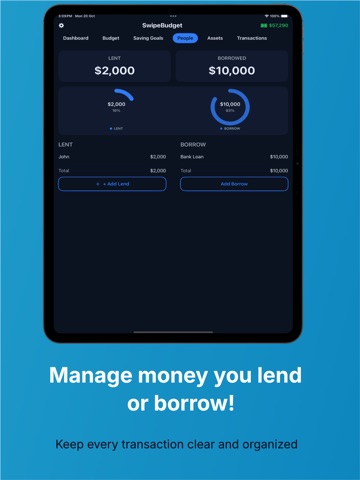
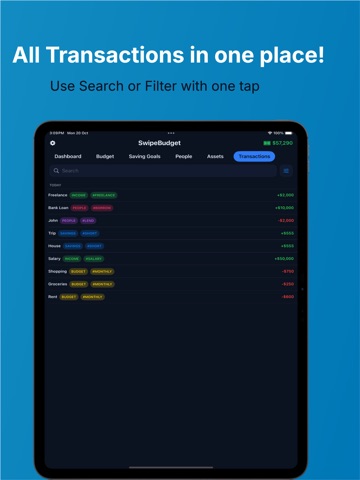
SwipeBudget helps you feel clear, organized, and in control of your money. Track spending, build budgets, grow savings, manage debts, and understand your full financial picture in one simple private app. Main Features: • Dashboard - See your spending, savings, income, and money overview at a glance • Budgets - Plan monthly expenses by category and track what is left • Quick Add - Add expenses fast without breaking your flow • Transactions - Search, filter, and review all your records easily • Income Tracking - Record salary, side income, investments, and more • Saving Goals - Set goals for travel, a home, emergency funds, or anything you want • Borrow & Lend - Track money you owe or money others owe you • Accounts - Manage balances, credit cards, loans, and payments • Assets - Track real estate, cars, gold, investments, and personal assets • Charts & Insights - Understand where your money goes with clear visuals • Home Screen Widgets - Check budgets and add transactions faster • Apple Watch Support - View budgets and add expenses from your wrist • Currency Settings - Use the currency that fits your life • iCloud Sync - Keep your data synced across your Apple devices • Private by Design - Your financial data stays with you SwipeBudget is built for everyday money management: simple enough for daily use, powerful enough to keep your whole financial life organized. Privacy First: We don’t track, sell, or share your financial data. Your information stays private on your device and in your Apple ID iCloud. We’ve added powerful new features to make managing your money easier: Upload bank transactions and quickly add them to your budget. New AI Agent to help you understand spending, organize finances, and get smarter budget insights. Full “How to Use the App” section with clear guidance for every major feature. Reminders and notifications to help you stay on track with bills, budgets, and financial goals. Improved experience and smoother app flow across key screens. Privacy Policy: https://sites.google.com/view/swipebudgetsup/home Terms of Use: https://www.apple.com/legal/internet-services/itunes/dev/stdeula/
Latest release
What’s New
Apple Watch widgets for current budget categories, improved syncing/icons, and fixed transition issues, including assigning any bank account to any budget from the transactions screen.
Audience growth
Ratings growth
Baseline captured. Growth appears after the crawler observes a changed rating count.
Momentum comes from crawler snapshots for the tracked storefront. “Viral growth signal” means unusually fast recent rating gains; it is an indicator, not download data.
Price tracking
Price intelligence
First snapshot captured. The trend line starts after the next crawler price observation.
- First observed Sep 5, 2026 · 7:40 PM Free
Screenshots