About this app
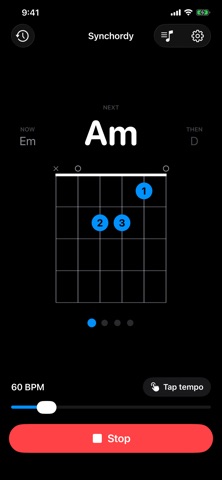
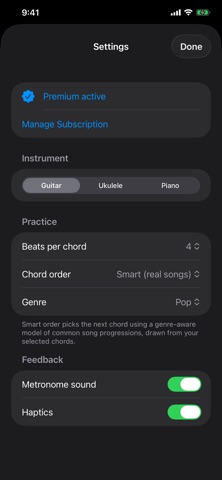
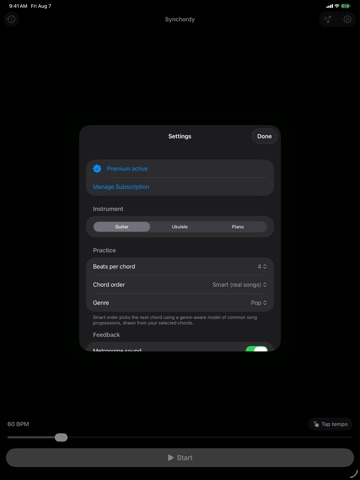
Synchordy turns the hardest part of learning an instrument — changing chords cleanly and in time — into simple, focused practice. Pick your chords, set a tempo, and Synchordy cycles through them with a built-in metronome so you always know what's coming next. Every chord appears with a clear diagram, so switching becomes muscle memory instead of guesswork. Guitar, ukulele, and piano supported. WHY SYNCHORDY • Practice the real skill: smooth, in-time chord transitions • See each chord as a clean fretboard or keyboard diagram • Stay locked to the beat with a precise metronome • Build a daily habit with practice history and streaks FEATURES • Metronome with adjustable tempo and tap tempo • Hold each chord for 1, 2, 4, or 8 beats • Chord order: shuffle, sequential, or Smart • Smart order follows patterns from real songs, by genre (Pop, Rock, Folk, Jazz) • Guitar, ukulele, and piano chord libraries with diagrams • Clean, dark, distraction-free design that reads at arm's length • Portrait and landscape, on iPhone and iPad FREE & PREMIUM Synchordy is free to start: practice on guitar with E, Em, and D, plus the full metronome. Synchordy Premium unlocks everything: • All instruments — guitar, ukulele, and piano • The complete chord library and presets • Smart progressions that follow real songs • Practice history and streaks Start with a 1-week free trial, then $4.99/year. SUBSCRIPTION • Synchordy Premium is $4.99 per year, following a 1-week free trial. • Payment is charged to your Apple Account at the end of the free trial. • The subscription renews automatically unless turned off at least 24 hours before the end of the current period. • Manage or cancel anytime in your Apple Account settings. • Terms of Use (EULA): https://www.apple.com/legal/internet-services/itunes/dev/stdeula/ • Privacy Policy: https://gist.github.com/mnsmar/7c1e4447f603c25f1b8022f4987505e7 Questions or feedback? Email em.maragkakis@gmail.com
Latest release
What’s New
The practice screen now says what it means: which chord you're on, which one you're changing to, and how long you've got. • NOW and NEXT labels make the intent clear. The large chord — and its diagram — is the one you're changing to, and the bar you're playing is your time to get ready for it. • The beat dots fill through the bar, counting down to the change. • A count-in before the first chord, so you have a full bar to get your hands on the instrument after pressing Start. • A steadier display — chord names no longer nudge the layout around as they change length. • Fixed: the metronome could be left playing with no way to stop it if you deselected every chord mid-session.
Audience growth
Ratings growth
Baseline captured. Growth appears after the crawler observes a changed rating count.
Momentum comes from crawler snapshots for the tracked storefront. “Viral growth signal” means unusually fast recent rating gains; it is an indicator, not download data.
Price tracking
Price intelligence
First snapshot captured. The trend line starts after the next crawler price observation.
- First observed Sep 8, 2026 · 4:46 AM Free
Screenshots