About this app
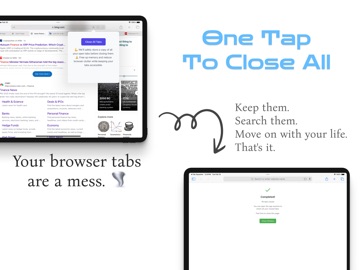
The more tabs you have open, the more your mind is scattered. We all do it - you start with one tab, then another, and suddenly your Safari window looks like a filing cabinet exploded. That's why we made Tab Squasher. A simple Safari Extension. It's dead simple: one click backs up all your tabs and closes them. Everything is saved right on your device, just for you. When you need those tabs again, they're there. But for now, your browser (and your mind) can breathe. It's the digital equivalent of clearing your desk - except nothing gets lost. Just a clean slate when you want it, and everything restored when you need it. We're not trying to track you or store your data in the cloud. This is just a simple tool that lets you hit reset on tab overload without the anxiety of losing anything important. Terms of Use: http://www.apple.com/legal/itunes/appstore/dev/stdeula
Latest release
What’s New
- fix restore issues - add multiple export formats - add "private share" for quick share URLs in private
Audience growth
Ratings growth
Baseline captured. Growth appears after the crawler observes a changed rating count.
Momentum comes from crawler snapshots for the tracked storefront. “Viral growth signal” means unusually fast recent rating gains; it is an indicator, not download data.
Price tracking
Price intelligence
First snapshot captured. The trend line starts after the next crawler price observation.
- First observed Sep 30, 2026 · 8:24 AM Free
Screenshots