About this app
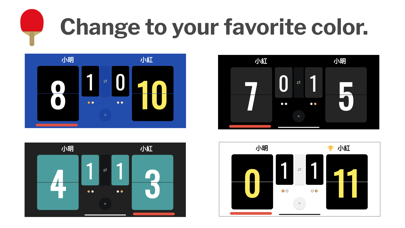
Turn your phone or tablet into a real table tennis scoreboard - flip the panels, hear every point called out loud, and focus on the game. Optimized for both smartphones and tablets. A phone fits perfectly on the table for a quick home rally, while a tablet's larger display stays readable across a full-size match court. -------------------------- ▼ Features -------------------------- 1. Realistic flip-panel scoreboard animation 2. Automatic voice call-out of every point 3. No sign-up or account required 4. Saves your match results automatically 5. Customizable panel color themes 6. Apple Watch app for on-court control -------------------------- ▼ Perfect for -------------------------- - Anyone who wants to enjoy casual table tennis right away - Players who forgot a scoreboard - or just don't want to set one up - Referees who want an easier way to keep score - Showing the score clearly on a large screen - Keeping a personal record of your matches -------------------------- ▼ Function details -------------------------- ■ Scoreboard Tap the scoreboard to add a point. The new game score is read aloud automatically. ■ Match history When a match ends, the result is saved automatically. Review past matches from the "Match History" screen in the menu. Swipe any record to delete it. ■ Correcting a mistaken point To correct a point, double-tap the upper half of the target panel on the scoreboard. After a game ends, only the panel with the higher score can be rolled back. After the full match ends, scores can no longer be changed. ■ Voice language Choose the call-out voice from several languages. ■ Auto change ends Optionally enable automatic change of ends after each game. ■ Apple Watch app Update the count from your wrist while you play. -------------------------- ▼ How to play -------------------------- 1. Choose your match length: best-of-3, best-of-5, or best-of-7 games. 2. Enter player names, decide the first server, and start the match. 3. Tap the lower half of a score panel to add a point. 4. Made a mistake? Double-tap the upper half of the panel to roll the point back. 5. When a game ends, change ends and start the next game. 6. When the match ends, the result appears. Past results are available from the menu under "Match History". 7. To replay with the same settings, choose "Play Again" from the menu. 8. To start a fresh match, choose "New Match" from the menu. 9. To mute the score voice, open "Settings" from the menu. 10. To change the scoreboard color, open "Settings" from the menu. -------------------------- ▼ Troubleshooting -------------------------- - Watch app timeout when connecting: Quit both the Watch app and the iPhone app. Launch the Watch app first, then launch the iPhone app, and try again. - Connection loading on the Watch score screen never finishes: Long-press the screen to cancel the connection, then try again.
Latest release
What’s New
Fixed minor bugs.
Audience growth
Ratings growth
Baseline captured. Growth appears after the crawler observes a changed rating count.
Momentum comes from crawler snapshots for the tracked storefront. “Viral growth signal” means unusually fast recent rating gains; it is an indicator, not download data.
Price tracking
Price intelligence
First snapshot captured. The trend line starts after the next crawler price observation.
- First observed Sep 3, 2026 · 11:50 AM Free
Screenshots